Every business collects customer information. At first, keeping names, phone numbers, email addresses, sales details, and follow up notes inside a spreadsheet feels simple and affordable. For freelancers, startups, and small teams, this approach often works well because there are fewer customers to manage and daily tasks remain easy to handle.
The situation changes as the business grows. More customers, larger sales pipelines, and additional team members create new challenges. Important follow ups can be missed, duplicate records begin to appear, and finding the latest customer information takes more time than expected. When several people edit the same spreadsheet, mistakes become more common, making it harder to keep data accurate and organized.
This is where many businesses start asking whether a Customer Relationship Management system, also known as a CRM, is a better choice. Unlike spreadsheets, a CRM is built to organize customer information, track interactions, automate routine tasks, and give teams one central place to manage every relationship.
In this guide, you will compare CRM software and spreadsheets across the areas that matter most, including automation, collaboration, reporting, security, scalability, and customer tracking. By the end, you will know which option fits your current business stage and when it makes sense to move from spreadsheets to a CRM.
Understanding CRM and Spreadsheets
Before comparing CRM software and spreadsheets, it helps to understand what each one is designed to do. While both can store customer information, they serve different purposes and support businesses in different ways.
What Is a CRM?
A Customer Relationship Management system, commonly called a CRM, is software that helps businesses organize customer information and manage every interaction from one central location. It keeps contact details, sales activities, emails, phone calls, meeting notes, and customer history connected to each record, making information easy to access whenever it is needed.
The main purpose of a CRM is to help businesses build stronger customer relationships while improving sales and daily operations. Instead of relying on manual updates, teams can manage leads, monitor sales opportunities, schedule follow ups, automate routine tasks, and view business performance through built in reports.
Modern CRM platforms also connect with email services, marketing tools, contact forms, and other business applications. This allows information to move between systems with less manual work and better accuracy.
CRMs are commonly used by small businesses, growing companies, sales teams, marketing agencies, SaaS businesses, customer support teams, and organizations that handle a large number of customer interactions every day.
What Are Spreadsheets Used For?
Spreadsheets are flexible tools used to organize information into rows and columns. Many businesses rely on them to store customer lists, manage budgets, track expenses, create inventory records, monitor simple sales data, and perform basic calculations.
Startups and solo business owners often choose spreadsheets because they are familiar, inexpensive, and quick to set up. Most people already know how to enter data, sort information, and create simple formulas without any special training.
For businesses with a small customer base and straightforward processes, spreadsheets can be a practical starting point. They offer flexibility for basic record keeping and simple reporting. As customer data grows and more people need access, keeping everything organized becomes much harder, which is why many businesses eventually consider moving to a CRM.
CRM vs Spreadsheets: Quick Comparison
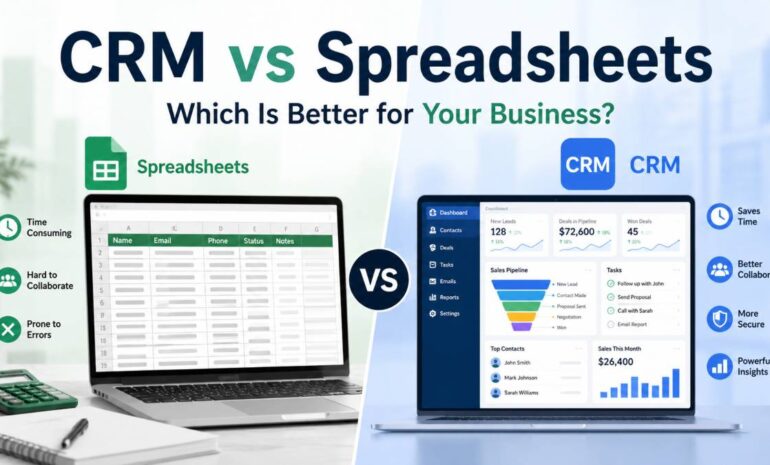
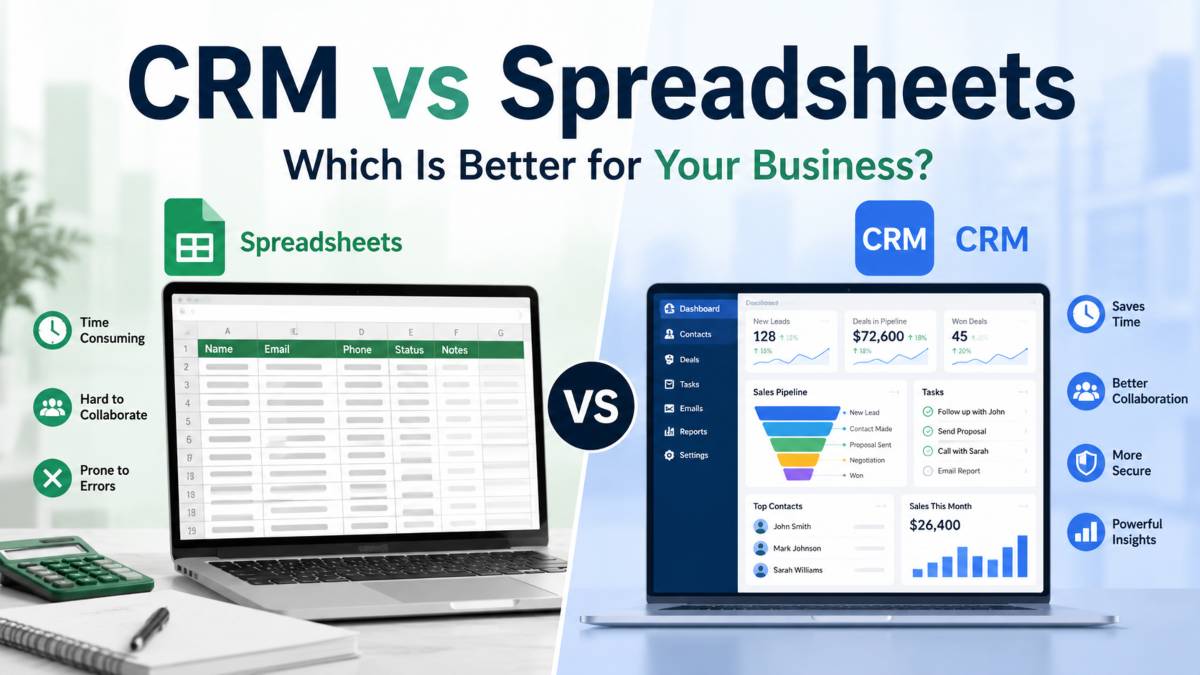
Both CRM software and spreadsheets can store customer information, but they are built for different purposes. A spreadsheet works well for simple record keeping, while a CRM is designed to manage customer relationships, sales activities, and business processes as your company grows. The table below highlights the main differences.
| Feature | CRM | Spreadsheet |
|---|---|---|
| Lead Management | Tracks leads from first contact to conversion with organized pipelines and activity records. | Stores lead information manually with limited tracking capabilities. |
| Automation | Automates follow ups, reminders, task assignments, and email workflows. | Requires manual updates and repetitive data entry. |
| Collaboration | Multiple team members can work from one shared database with real time updates. | Shared files often create version conflicts and inconsistent information. |
| Reporting | Includes built in dashboards, sales reports, and performance metrics. | Reports require manual formulas, filters, and calculations. |
| Customer History | Stores emails, calls, meetings, notes, and previous interactions in one place. | Customer history is often scattered across multiple sheets or cells. |
| Security | Offers user permissions, encryption, and activity tracking. | Limited access control with greater risk of accidental sharing. |
| Integrations | Connects with email platforms, marketing tools, accounting software, and other business applications. | Very limited integration options without extra tools or manual work. |
| Scalability | Handles thousands of customer records while remaining organized and searchable. | Large files become difficult to manage as data grows. |
| Data Accuracy | Reduces duplicate records with validation rules and structured fields. | Manual entry increases the chance of duplicate or incorrect information. |
| Mobile Access | Most cloud based CRMs include dedicated mobile applications with full access. | Mobile editing is available but offers fewer features and a less efficient experience. |
The right choice depends on your business stage and daily needs. Spreadsheets remain useful for simple tracking and small customer lists. Once your business starts handling more leads, team members, and customer interactions, a CRM provides better organization, stronger collaboration, reliable reporting, and tools that support steady business growth.
Why CRM Is Better for Business Growth
A spreadsheet can help organize customer information during the early stages of a business. It is simple to use, familiar to most people, and works well when customer records are limited. As a business grows, customer expectations rise, sales processes become more structured, and teams need faster access to accurate information. At this stage, a CRM becomes a much better solution because it is built to manage customer relationships from the first interaction to long term retention.
A CRM does much more than store contact details. It brings together customer information, sales activities, communication history, reporting, and automation in one place. This helps businesses save time, reduce manual work, and create a more consistent experience for every customer.
Workflow Automation Saves Time
One of the biggest advantages of a CRM is workflow automation. Many daily tasks that normally require manual effort can happen automatically, allowing employees to spend more time building customer relationships and closing sales.
For example, when a potential customer fills out a contact form, a CRM can instantly create a new lead, assign it to the correct sales representative, schedule a follow up reminder, and send a welcome email. Without a CRM, someone would need to complete each of these steps manually.
Automation also helps businesses maintain consistency. Every lead follows the same process, reducing the chance of forgotten tasks or missed opportunities. Sales teams can receive reminders before important meetings, while marketing teams can send email campaigns based on customer actions instead of manually selecting recipients.
As customer numbers increase, these automated processes save many hours every week while improving response times.
Better Team Collaboration
Growing businesses often have several employees working with the same customer information. Sales representatives, marketers, customer support agents, and managers all need access to accurate records.
A CRM creates one central location where everyone can view the latest customer information in real time. Team members no longer need to search through multiple files or ask coworkers for updates. Every interaction, note, and activity is stored under the customer’s profile, making communication much smoother.
This shared access also reduces confusion. Employees can immediately see who contacted a customer, what was discussed, and what action should happen next. New staff members can quickly understand existing customer relationships without relying on lengthy handover meetings.
Better collaboration improves customer service because everyone works from the same information instead of separate files.
Complete Customer History
Every customer interaction matters. Phone calls, emails, meetings, support requests, purchases, and notes all help businesses understand customer needs and preferences.
A CRM records these interactions automatically, creating a complete customer history that remains available whenever it is needed. Employees can review previous conversations before contacting a customer, making each interaction more personal and informed.
This complete record also helps businesses solve problems faster. If a customer contacts support, the representative can immediately view previous discussions instead of asking the customer to repeat information.
Sales teams also benefit because they can understand where each customer is in the buying process. This improves communication and helps create stronger long term relationships.
With spreadsheets, keeping this level of detail organized becomes much harder, especially when multiple employees update information at different times.
Easier Scaling as Your Business Grows
Every successful business reaches a point where customer data grows faster than expected. What once fit comfortably inside a simple spreadsheet becomes hundreds or even thousands of records.
Large spreadsheets become harder to search, slower to update, and more difficult to keep organized. Duplicate records, missing information, and formatting mistakes become more common as data continues to grow.
A CRM is built to manage large customer databases without sacrificing speed or organization. Structured fields help maintain consistent records, while search filters make it easy to locate specific customers within seconds.
As new employees join the business, they can follow the same process without creating inconsistent records. This standard approach keeps customer information accurate while supporting future growth.
Whether a business serves hundreds or thousands of customers, a CRM continues to organize information in a clear and efficient way.
Reporting That Supports Better Decisions
Business growth depends on understanding what is working and what needs improvement. Reliable reporting helps managers measure sales performance, marketing results, and customer activity without spending hours preparing spreadsheets.
Most CRM systems include ready made dashboards that display important business metrics. Managers can monitor sales pipelines, conversion rates, lead sources, customer activity, and team performance from one screen.
These reports help answer practical questions such as which marketing campaign generates the most qualified leads, which sales representative closes the most deals, and where potential customers leave the sales process.
Instead of spending valuable time creating formulas or checking calculations, teams can focus on improving performance based on accurate information.
Reliable reporting also supports better planning because business leaders can identify trends earlier and respond with greater confidence.
Better Security and Access Control
Customer information is one of the most valuable assets any business owns. Protecting that information becomes more important as the company grows.
A CRM offers security features that help protect sensitive customer data. Administrators can control who has permission to view, edit, or export information. Employees only see the records necessary for their role, reducing the chance of accidental changes or unauthorized access.
Many CRM platforms also keep activity records, allowing businesses to review who updated customer information and when those changes occurred. This creates greater accountability across the organization.
Cloud based CRM systems also use security measures such as encrypted connections and regular backups, helping reduce the risk of data loss.
Spreadsheets offer much less control. Files can be copied, downloaded, or shared with the wrong people, and tracking changes becomes difficult when several versions exist.
For businesses handling customer information every day, stronger security helps protect both company data and customer trust.
Choosing between a CRM and a spreadsheet is not simply about storing information. It is about selecting a system that supports business growth without creating unnecessary manual work. While spreadsheets remain useful for simple record keeping, a CRM provides automation, organized customer records, stronger collaboration, detailed reporting, better security, and the flexibility needed as customer numbers continue to grow. For businesses planning sustainable growth, investing in a CRM creates a stronger foundation for future success.
Workflow Automation Saves Time
As a business grows, routine tasks begin to consume a large part of the working day. Sales representatives need to remember follow ups, marketers send emails to new leads, and managers assign work across the team. Handling these activities manually may seem manageable at first, but it quickly becomes difficult as customer numbers increase. A CRM removes much of this repetitive work by automating everyday processes.
One of the most useful features is automatic follow up reminders. Instead of relying on memory or handwritten notes, the CRM alerts team members when it is time to contact a lead or customer. This helps reduce missed opportunities and keeps conversations moving through the sales process.
Email automation is another major advantage. A CRM can send welcome emails, appointment confirmations, thank you messages, and lead nurturing campaigns based on customer actions. For example, when someone fills out a contact form or downloads a resource, the CRM can send a personalized email within seconds. This creates a faster response without requiring someone to press the send button each time.
Task assignment also becomes much simpler. New leads can be assigned automatically to the right sales representative based on location, product interest, or workload. Managers no longer need to review every inquiry manually, allowing the team to respond more quickly and maintain an organized workflow.
Lead nurturing is easier because every interaction is tracked in one place. Sales teams can schedule future calls, send relevant content, and continue conversations until a prospect is ready to become a customer. This organized approach helps maintain consistent communication throughout the buying journey.
By reducing manual work, a CRM allows employees to spend less time updating records and more time building customer relationships. Routine administrative tasks happen in the background, allowing the entire team to work more efficiently while supporting steady business growth.
Better Team Collaboration
As a business grows, customer information is no longer handled by just one person. Sales representatives, marketing teams, customer support staff, and managers all need access to the same records. When everyone works from separate spreadsheets, confusion can happen quickly. Different file versions, missing updates, and inconsistent information make it difficult for teams to stay organized.
A CRM solves this problem by creating shared customer records that every authorized team member can access. Instead of searching through multiple files or requesting information from coworkers, employees can open a customer profile and view contact details, previous conversations, meeting notes, purchase history, and ongoing sales activities in one place. This saves time and keeps everyone working with the same information.
Another major advantage is real time updates. Whenever a team member adds a note, records a phone call, updates a deal, or changes customer information, those changes become available immediately. There is no need to send updated files or worry about someone working with outdated information. This keeps communication accurate across every department.
A CRM also serves as a single source of truth for the entire business. Rather than storing customer information across spreadsheets, email inboxes, and personal notes, every interaction is recorded within one centralized system. Managers can review sales progress, marketers can monitor customer engagement, and support teams can quickly understand previous conversations without switching between multiple tools.
This centralized approach also makes onboarding new employees much easier. New team members can review complete customer records and understand existing relationships without relying on lengthy explanations from coworkers. They can learn the sales process faster, continue customer conversations with confidence, and become productive in less time.
When every department works from the same reliable information, collaboration improves naturally. Teams communicate more efficiently, customers receive a more consistent experience, and the business can continue growing without information becoming scattered across multiple files.
Complete Customer History
Strong customer relationships depend on having the right information at the right time. As conversations continue over weeks or months, remembering every email, phone call, meeting, and customer request becomes almost impossible without the right system. A CRM solves this by creating a complete customer history that keeps every interaction organized in one place.
Easier Scaling as Your Business Grows
Growth is an exciting stage for any business, but it also brings new challenges. As customer numbers increase, managing information becomes more demanding. A spreadsheet that once contained a few dozen contacts can quickly grow into thousands of rows, making it harder to keep records accurate and organized. A CRM is designed to handle this growth without creating unnecessary complexity.
One of the biggest advantages of a CRM is its ability to manage larger databases with ease. Whether your business serves hundreds or thousands of customers, the system keeps records organized and easy to access. Performance remains consistent even as more contacts, sales opportunities, and customer activities are added over time.
A CRM also provides better organization through structured data fields. Customer names, contact details, company information, sales stages, and communication history are stored in clearly defined sections. This creates a consistent format across every record, making information easier to understand for everyone on the team.
Another important benefit is duplicate prevention. Manual data entry in spreadsheets often results in multiple records for the same customer, especially when several employees update information independently. A CRM can identify duplicate entries before they are saved, helping maintain a clean and reliable customer database. This reduces confusion and improves the accuracy of reports and customer communications.
Standardized records also make daily operations more efficient. Every employee follows the same process when creating or updating customer information, which keeps records complete and consistent. Required fields help prevent missing details, while predefined categories make customer information easier to sort and analyze.
Finding information is much faster in a CRM than in a large spreadsheet. Advanced search tools and filters allow employees to locate customers by name, company, email address, phone number, sales stage, location, or other criteria within seconds. Instead of scrolling through long lists or checking multiple files, the right information is available almost instantly.
As businesses continue to grow, these features become increasingly valuable. A CRM keeps customer information organized, searchable, and accurate, allowing teams to work efficiently without being slowed down by scattered records or oversized spreadsheets. This creates a stronger foundation for sustainable business growth while making everyday operations easier for everyone involved.
Every email sent or received can be connected to the customer’s profile. This allows employees to review previous conversations before reaching out again, making communication more relevant and consistent. Instead of searching through crowded inboxes, the entire email history is available within the CRM.
Phone calls are also recorded as part of the customer record. Sales representatives and support teams can log call outcomes, discuss customer concerns, and note the next steps. This makes it easy for any team member to continue the conversation without asking the customer to repeat information.
Notes provide another valuable layer of context. Employees can record customer preferences, product interests, feedback, and special requests after every interaction. These details help create more personalized conversations and reduce misunderstandings between departments.
Meetings can also be scheduled and documented inside the CRM. Agendas, discussion points, decisions, and follow up actions remain connected to the customer record, giving the entire team a clear picture of what has already taken place.
Many CRM platforms present this information through a timeline view. Instead of opening several files or switching between different tools, employees can see every interaction in chronological order. Emails, calls, meetings, notes, purchases, and other activities appear in one continuous record, making it simple to understand the complete customer journey.
Having access to a full customer history helps businesses build stronger relationships. Customers appreciate speaking with employees who already understand their previous conversations and current needs. Questions are answered more quickly, follow ups become more relevant, and every interaction feels more personal. This creates a smoother customer experience while helping businesses earn trust and encourage long term loyalty.
Reporting That Supports Better Decisions
Making smart business decisions depends on having accurate information. As customer numbers and sales activities grow, manually collecting data from spreadsheets becomes time consuming and increases the chance of mistakes. A CRM simplifies this process by turning customer and sales data into clear reports that help business owners and managers understand performance at a glance.
One of the most valuable features is the sales dashboard. Instead of reviewing multiple files, users can view important business metrics from a single screen. A sales dashboard displays information such as new leads, active opportunities, completed sales, team performance, and monthly progress. This allows managers to monitor business activity without spending hours preparing reports.
Pipeline reports provide a detailed view of where every sales opportunity stands. Businesses can see how many leads are in each stage of the sales process, identify opportunities that need attention, and understand where potential customers are leaving before making a purchase. This visibility helps sales teams focus on the opportunities most likely to become customers.
A CRM also tracks conversion rates automatically. Businesses can measure how many website visitors become leads, how many leads turn into qualified prospects, and how many eventually become paying customers. These numbers help identify strengths and areas that need improvement, making it easier to refine sales strategies over time.
Campaign tracking is another valuable feature for marketing teams. A CRM can connect leads with the campaigns that generated them, allowing businesses to measure which email campaigns, advertisements, landing pages, or social media promotions produce the strongest results. This helps marketing budgets focus on activities that deliver the highest return.
Revenue forecasting gives business leaders a clearer picture of future income. By analyzing active opportunities, expected closing dates, and historical sales performance, a CRM can estimate future revenue with greater accuracy. This information supports better budgeting, hiring decisions, inventory planning, and overall business planning.
Instead of spending valuable time creating reports manually, businesses can rely on a CRM to organize data automatically and present it in an easy to understand format. Better reporting leads to faster decisions, improved sales performance, and greater confidence when planning the next stage of business growth.
Better Security and Access Control
Customer information is one of the most valuable assets a business owns. It contains contact details, communication history, purchase records, and other important data that should only be available to authorized employees. As a business grows, protecting this information becomes just as important as collecting it. A CRM includes security features that help businesses manage customer data with greater confidence.
One of the biggest advantages is user permissions. Business owners and administrators can decide who can view, edit, create, or delete customer records based on each employee’s role. For example, a sales representative may have access to customer accounts, while a finance employee can only view billing information. This controlled access reduces unnecessary exposure to sensitive data and keeps information organized.
Many CRM systems also include audit logs that record important account activity. Whenever a customer record is updated, the system keeps a history of who made the change and when it happened. This creates greater accountability across the team and makes it easier to review changes if questions arise later.
Encryption provides another layer of protection. Customer information is stored and transferred using security technologies that help protect data from unauthorized access. This gives businesses greater confidence when handling sensitive customer details, especially when employees access the CRM from different locations or devices.
A CRM also helps reduce accidental sharing of customer information. Unlike spreadsheets, which are often copied, downloaded, or attached to emails, customer records remain inside one secure system. Employees access the information they need without creating multiple file versions that can be shared with the wrong people.
These security features become increasingly valuable as a business grows and more employees work with customer information every day. By controlling access, recording important changes, protecting stored data, and reducing unnecessary file sharing, a CRM helps businesses maintain accurate records while building customer trust through responsible data management.
Where Spreadsheets Still Make Sense
Although a CRM offers many advantages for growing businesses, spreadsheets still have their place. They are simple to use, familiar to most people, and require very little setup. For businesses with straightforward needs, a spreadsheet can be a practical way to organize information without investing in dedicated software.
Good Situations for Using Spreadsheets
Solo business owners often find spreadsheets more than enough during the early stages of their business. When one person manages customer communication, sales, and daily operations, keeping contact details and basic records in a single file is usually easy to manage.
Businesses with small customer lists can also benefit from spreadsheets. If you only work with a limited number of clients and have a simple sales process, there may be little need for advanced features such as automation, customer timelines, or detailed reporting. A spreadsheet provides a quick way to record customer information and monitor basic activities.
Spreadsheets are also useful for temporary projects. For example, they work well when tracking event registrations, short term marketing campaigns, product research, or one time business activities that do not require long term customer management. Once the project ends, the file can be archived without adding unnecessary software.
Budget limitations are another reason some businesses continue using spreadsheets. Many startups prefer to keep operating costs low while building their customer base. Free or low cost spreadsheet applications allow them to organize information without adding another monthly expense.
They are also suitable for internal tracking tasks that are not directly related to customer relationship management. Businesses often use spreadsheets to manage inventory, monitor office expenses, create employee schedules, or track simple project progress.
Spreadsheets remain practical when customer records are limited, only one person manages the data, and business processes are straightforward. Once customer numbers increase, multiple employees need access, or regular sales and marketing activities become part of daily operations, moving to a CRM becomes a much more efficient and reliable choice.
Signs Your Business Has Outgrown Spreadsheets
A spreadsheet may work well during the early stages of a business, but there comes a point when it starts slowing your team instead of helping it. As customer numbers grow and daily operations become more complex, simple files are no longer enough to keep information organized. If your team spends more time managing spreadsheets than serving customers, it may be time to consider a CRM.
Common Warning Signs
Use the checklist below to determine whether your current system is holding your business back.
Missed follow ups
Important calls, emails, or customer reminders are forgotten because there is no automated system to keep everyone on schedule.
Multiple spreadsheet versions
Different employees save separate copies of the same file, creating confusion about which version contains the latest customer information.
Duplicate customer records
The same customer appears multiple times with different details, making reports less accurate and creating unnecessary confusion for the team.
Manual reporting
Employees spend hours creating reports, updating formulas, and checking calculations instead of focusing on sales and customer service.
Growing sales team
As more employees join the business, keeping everyone updated through spreadsheets becomes increasingly difficult. Team members need shared access to reliable customer information.
Poor visibility
Managers struggle to understand sales performance, customer activity, or team progress because important information is spread across several files.
Too much time spent updating files
Daily tasks such as entering customer details, moving records, and organizing information require constant manual effort that could be handled automatically.
Customer information scattered across multiple tools
Emails, spreadsheets, notebooks, messaging applications, and documents all contain different pieces of customer information. Employees waste valuable time searching for the complete picture before responding to customers.
If you checked several of these warning signs, your business has likely reached the point where spreadsheets are limiting productivity. A CRM brings customer information, sales activities, communication history, and reporting into one organized system, allowing your team to work faster, collaborate more efficiently, and support continued business growth.
When Should You Switch to a CRM?
There is no fixed number of customers or sales that tells you exactly when to move from a spreadsheet to a CRM. The right time depends on how your business operates and whether your current system still supports your daily work. If managing customer information is becoming slower, more complicated, or more difficult to organize, switching to a CRM can help improve efficiency and support future growth.
The Right Time to Upgrade
One of the clearest signs is when more than one employee manages customer information. A spreadsheet may work well for a solo business owner, but once sales representatives, marketers, or customer support staff begin working with the same records, keeping everyone updated becomes much harder. A CRM allows every authorized employee to access the same customer information from one centralized system.
A regular sales process is another reason to upgrade. If your business follows the same steps for every lead, such as sending proposals, scheduling calls, preparing quotations, and following up with prospects, a CRM keeps each opportunity organized from the first contact through the final sale.
Businesses running marketing campaigns also benefit from a CRM. For example, if you collect leads through contact forms, email newsletters, or paid advertisements, the system can organize new contacts automatically and help your team respond more quickly.
Growing lead volume is another strong indicator. Managing twenty customer inquiries each month is very different from managing several hundred. A CRM keeps every lead organized, making it easier to assign work, monitor progress, and avoid missed opportunities.
The need for automation often becomes obvious as manual tasks continue to increase. If employees spend hours sending follow up emails, updating records, or creating reminders, a CRM can automate many of these routine activities and free up valuable time for higher priority work.
Customer retention goals also become easier to achieve with a CRM. For example, an online software company can automatically remind customers about subscription renewals, while a marketing agency can schedule regular follow up meetings to maintain long term client relationships. These simple processes help businesses stay connected with customers while improving satisfaction and repeat business.
If your team is spending more time managing spreadsheets than serving customers, it is a strong indication that a CRM has become the smarter choice for supporting continued business growth.
Best CRM Platforms for Growing Businesses
Choosing the right CRM depends on your business goals, budget, team size, and sales process. While every platform offers customer management features, each one is designed with different types of businesses in mind. Below are some of the most popular CRM solutions for growing companies.
Popular CRM Options
HubSpot
HubSpot is a strong choice for startups and small businesses that want an easy way to organize contacts, manage leads, and automate everyday sales tasks. Its free plan makes it attractive for companies that want to get started without a large investment.
Best use case: Small businesses, startups, and marketing teams
Pricing approach: Free plan with paid upgrades that add more advanced features
Ease of use: Very beginner friendly with a clean interface
Ideal business size: Solo businesses, startups, and small to medium sized companies
Pipedrive
Pipedrive focuses on sales pipeline management and is well suited for businesses that want a simple way to track deals from the first conversation to the final sale. Its visual pipeline helps sales teams stay organized and monitor progress with ease.
Best use case: Sales focused businesses and growing sales teams
Pricing approach: Subscription plans with several pricing levels
Ease of use: Easy to learn with minimal training
Ideal business size: Small and medium sized businesses
Salesforce
Salesforce offers one of the most feature rich CRM platforms available. It supports advanced automation, reporting, customer service, marketing, and business customization. Companies with complex workflows often choose Salesforce because it can support a wide range of business requirements.
Best use case: Businesses with advanced sales processes and large operations
Pricing approach: Tiered subscription plans based on features and users
Ease of use: Moderate learning curve because of its extensive capabilities
Ideal business size: Medium and large businesses with dedicated sales teams
Microsoft Dynamics 365
Microsoft Dynamics 365 combines CRM capabilities with business applications such as finance, customer service, and operations. It integrates well with Microsoft products, making it a practical option for organizations already using the Microsoft ecosystem.
Best use case: Businesses using Microsoft business applications
Pricing approach: Modular pricing that allows businesses to purchase only the applications they need
Ease of use: Moderate learning curve with a familiar Microsoft interface
Ideal business size: Medium sized businesses and large enterprises
Each of these CRM platforms offers reliable customer management features, but the right choice depends on your business requirements. Smaller companies often prefer simple and affordable solutions, while larger organizations usually need advanced automation, detailed reporting, and deeper customization. Choosing a CRM that matches your current needs while allowing room for future growth will help your business stay organized as customer relationships continue to expand.
CRM vs Spreadsheets: Which Option Should You Choose?
Choosing between a CRM and a spreadsheet depends on your current business needs, team size, and future plans. Both tools have their place, but they serve different purposes. A spreadsheet is suitable for organizing basic information, while a CRM is built to manage customer relationships, sales activities, and business growth more efficiently.
Final Recommendation
Spreadsheets are enough when your business is still in its early stages. If you work alone, have a small customer list, and only need to store basic contact details or track simple tasks, a spreadsheet can provide an affordable and practical solution. It allows you to organize information without paying for additional software.
A CRM becomes the smarter investment once your customer base grows or your daily operations become more structured. If multiple employees work with customer information, you run regular sales or marketing campaigns, receive a higher number of leads, or spend too much time updating files manually, a CRM can simplify these processes. Features such as automation, centralized customer records, detailed reporting, and stronger security help businesses operate more efficiently while reducing manual work.
Businesses that benefit the most from switching include small and medium sized companies, SaaS businesses, marketing agencies, sales teams, ecommerce stores, consulting firms, and service based businesses that manage ongoing customer relationships. Any organization that depends on repeat customers and consistent communication will see greater value from a dedicated CRM than from a traditional spreadsheet.
The best approach is to choose the tool that fits your current stage while keeping future growth in mind. Start with a spreadsheet if your needs are simple, but move to a CRM as soon as customer information, team collaboration, and sales activities become difficult to manage. Making the switch at the right time will help your business stay organized, improve customer experiences, and create a stronger foundation for long term growth.
Conclusion
The choice between a CRM and a spreadsheet comes down to where your business is today and where you want it to be tomorrow. Spreadsheets remain a practical option for solo entrepreneurs and businesses with a small number of customers. They are simple, familiar, and suitable for basic record keeping.
As your customer base expands, your sales process becomes more structured, and more employees need access to customer information, a CRM offers clear advantages. It helps organize customer data, automates routine tasks, improves collaboration, strengthens security, and provides reports that support better business decisions. These features allow your team to spend less time managing information and more time building lasting customer relationships.
If you are already dealing with missed follow ups, scattered customer records, or time consuming manual updates, it may be the right moment to move beyond spreadsheets. Choosing a CRM that matches your business needs can improve productivity today while giving you the flexibility to support future growth with confidence.
Read More: Human vs AI Content