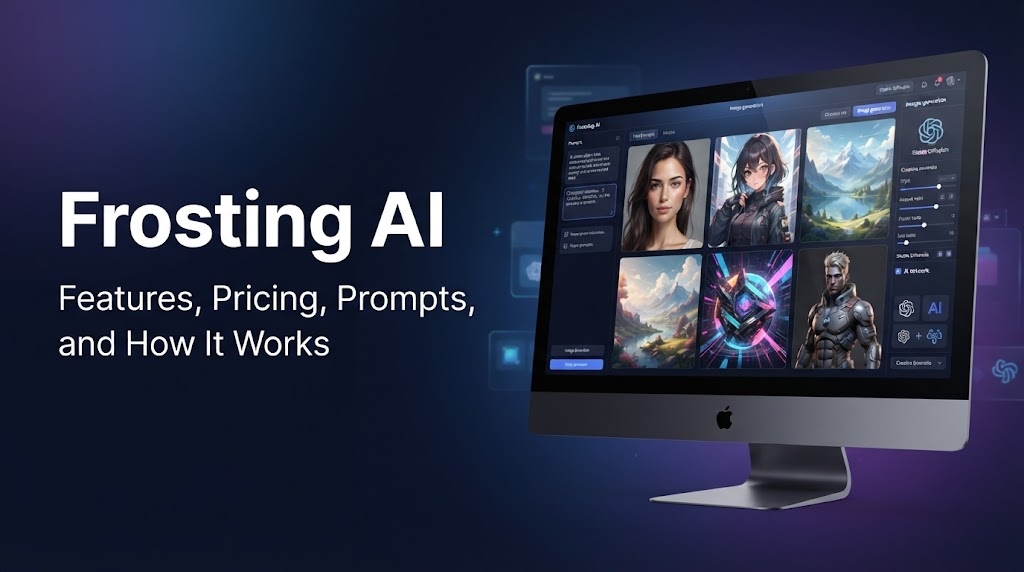
Frosting AI is a browser based AI image generator that turns written prompts into digital artwork. It gives users a simple way to create images without installing a local Stable Diffusion setup or dealing with complex software. Users can describe an idea, choose a visual style, select an aspect ratio, and generate image variations within the browser.
The platform is built around Stable Diffusion models and offers several creative controls for different types of image projects. Depending on the available features and plan, users can also work with reference images, inpainting, upscaling, and batch generation.
Frosting AI can be useful for bloggers, content creators, marketers, small businesses, hobby artists, and anyone who wants to experiment with AI generated visuals. Its browser based workflow also makes it easier for beginners who do not want to manage a local image generation setup.
In this review, you will learn how Frosting AI works, what features it offers, how its pricing is structured, how to write better prompts, where its image quality performs well, and what limitations you should know before using it.
What Is Frosting AI?
Frosting AI as an AI Image Generator
Frosting AI is a browser based AI image generator that turns written descriptions into digital artwork. Its text to image workflow lets users describe a scene, select visual settings, and create image variations without installing image generation software on their computer. The platform is built around Stable Diffusion models, giving users access to different visual styles and creative controls through a simpler web interface.
This setup can be useful for people who want to create AI artwork without learning a local Stable Diffusion workflow. Instead of configuring models or managing technical software, beginners can work directly from their browser.
Who Is Frosting AI Designed For?
Frosting AI can suit bloggers and content creators who need custom visuals for articles, websites, or social media. Marketers and small businesses can use it for visual concepts, promotional ideas, and product mockups. Hobby artists can also experiment with character designs, illustrations, and different art styles.
Is Frosting AI Free?
Frosting AI offers a free tier with daily credits, allowing users to test its image generation features without an initial subscription. Paid plans provide more credits and access to additional tools and controls. Since plan details can change, users should check the current pricing before choosing a subscription.
How Does Frosting AI Work?
Frosting AI uses a simple text to image process that lets users turn written ideas into AI generated visuals. The browser based workflow removes the need to install a local Stable Diffusion setup, making image creation easier for beginners and casual users.
Enter a Text Prompt
The process starts with a text prompt that describes what the user wants to create. A useful prompt can include the main subject, visual style, lighting, camera view, background, colors, mood, and composition. More specific descriptions can help guide the result toward the intended look.
Choose Image Settings
After entering a prompt, users can adjust available generation settings. These may include style presets, aspect ratio, resolution, and negative prompts. A negative prompt tells the system which elements to avoid, such as blurry details, unwanted objects, or watermarks. Other controls may vary based on the selected plan and available models.
Generate and Review Images
Once the settings are ready, the user can start the generation process. Frosting AI sends the request through its supported Stable Diffusion models and produces image variations. Users can then review the results and decide which version is closest to their original idea.
Refine, Upscale, or Generate Variations
The Frosting AI image generation workflow can continue after the first result. Users may regenerate an image, create multiple variations, increase resolution through upscaling, or edit selected areas with inpainting. Reference image tools can also help guide the visual direction of a new result.
This makes Frosting AI text to image generation useful for testing ideas quickly while giving users several ways to refine their images.
Frosting AI Features
Frosting AI offers a range of tools for creating, editing, and refining AI generated images. Its main workflow centers on text prompts, but users can also control image format, generate multiple versions, use reference images, and refine selected areas. Some advanced tools are reported to be available only on higher plans or in beta.
Text to Image Generation
The core Frosting AI feature is text to image generation. Users describe an idea in a prompt, and the system creates an image based on those instructions. The platform supports a range of visual styles, including photorealistic scenes, anime artwork, digital painting, concept art, abstract artwork, and 3D render styles.
This range makes the tool useful for blog graphics, character concepts, product ideas, social media visuals, and creative experiments. Results can vary based on the prompt, selected model, and available settings.
Positive and Negative Prompts
Frosting AI supports positive and negative prompts to give users more control over the generated image.
A positive prompt describes what should appear in the image. For example:
Positive prompt: A modern coffee shop interior, warm lighting, wooden furniture, realistic photography.
A negative prompt describes elements the user wants the generator to avoid.
Negative prompt: blurry image, distorted objects, extra fingers, low detail.
Using both types of prompts can make the requested visual direction clearer and help reduce unwanted elements.
Aspect Ratio and Resolution Controls
Users can select an image format that fits their intended use. Square images can work well for social media posts and profile graphics, while portrait formats suit mobile screens, posters, and character artwork.
Landscape formats can fit blog headers and website graphics, while widescreen images can work well for video thumbnails and presentation visuals. Resolution controls can also help users choose between faster generation and larger output sizes, depending on the available plan.
Batch Image Generation
Batch Image generation lets users create several versions from a single prompt. Instead of generating one image at a time, users can compare multiple results and select the version that best matches their idea.
Higher tier plans are reported to support larger batches, with some research sources describing generation of up to 16 images at once.
Reference Images
Reference image support can give the generator additional visual direction. A reference can help guide the style, character appearance, colors, or composition of a new image.
This can be useful when a written prompt alone does not provide enough direction. The exact level of control depends on the available reference image tools and selected plan.
ControlNet
ControlNet gives users more control over the structure of an AI generated image. In simple terms, it can use information from a reference or guide image to influence how the new image is arranged.
Reported ControlNet options include pose guidance, depth guidance, and edge guidance. These controls can help users keep a similar body position, scene structure, or outline while changing the visual style.
Inpainting and Upscaling
Inpainting allows users to edit selected areas of an existing image instead of generating an entirely new picture. For example, a user may replace an object, change part of a background, or correct a specific section.
Upscaling increases image resolution and can make a selected result more suitable for larger displays or higher resolution use. Availability of these tools may depend on the user’s plan.
Experimental Video and DreamChat Features
Some research about Frosting AI also reports experimental video generation and a feature called DreamChat. These tools are associated with higher tier plans or beta testing, so their availability and exact capabilities may change over time.
For this reason, users should check the current Frosting AI feature list before subscribing if video generation or DreamChat is a specific requirement.
Frosting AI Image Quality
Frosting AI can produce useful results across several visual styles, with image quality depending on the prompt, selected model, settings, and subject. Its Stable Diffusion based workflow gives users room to test different ideas quickly and create several versions before choosing a preferred result.
What Frosting AI Does Well
Frosting AI is reported to perform well with photorealistic portraits, landscapes, and still life images. It can also create anime artwork, digital illustrations, and 3D style visuals.
One of its practical strengths is fast image iteration. Users can test different prompts, settings, and visual styles without waiting through a long manual design process. This makes it useful when a project requires several creative directions before a final image is selected.
Common Image Problems
Frosting AI can also show some of the common limitations associated with Stable Diffusion image generation. Hands may appear distorted, while fingers can have incorrect shapes or counts. Faces may also become inconsistent when an image contains several people.
Text inside generated images can be another weak point. Words on signs, product packaging, screens, or posters may appear misspelled or unclear. Highly specific subjects can also be difficult to reproduce accurately, particularly when the prompt depends on exact details or a very specific visual reference.
Is Frosting AI Good Enough for Professional Use?
Frosting AI can be suitable for many practical creative tasks, including blog graphics, social media visuals, concept work, marketing mockups, and early design ideas. For these uses, quick generation and the ability to create several variations can be useful.
However, highly precise commercial artwork may require manual editing after generation. Designers may need to correct anatomy, typography, product details, faces, or other small elements. For projects that require strict visual accuracy, another image model or a traditional design workflow may also be needed.
Frosting AI Pricing and Plans
Frosting AI pricing is based on usage credits and access to different image generation tools. The figures below reflect reported 2026 pricing from available research, but plans, credit limits, and features can change. Readers should verify the current Frosting AI pricing page before subscribing.
| Plan | Reported Price | Main Features |
| Free | Free | Daily credits, basic generation |
| Planet | Around $7 per month | More credits, upscaling |
| Star | Around $25 per month | Batch generation, higher resolution |
| Nebula | Around $55 per month | Reference images, style tools, beta features |
| Galaxy | Around $120 to $125 per month | Advanced controls, higher limits |
Frosting AI Free Plan
The free plan is designed for users who want to test the platform before paying for a subscription. Reports describe around 100 daily credits, with the exact number of generations depending on the selected settings and models.
Free users can access basic image generation and a selection of available models, but advanced controls, higher generation limits, and premium tools may be restricted.
Planet Plan
The Planet plan is reported at around $7 per month. It provides a larger daily credit allowance than the free tier and adds features such as image upscaling.
The plan may also allow a small number of concurrent generations, making it more practical for users who create images regularly but do not need the higher limits of premium plans.
Star Plan
The Star plan is reported at around $25 per month and provides a larger daily credit allowance. It also adds batch generation, higher resolution output, and support for more simultaneous generations.
This can suit users who need to create several image variations during a typical creative session.
Nebula Plan
The Nebula plan is reported at around $55 per month. It provides a larger credit allowance along with advanced features such as reference images and style preservation.
Research also reports experimental video generation at this level. Since beta features can change, users should check the current plan details before subscribing specifically for video tools.
Galaxy Plan
The Galaxy plan is reported at around $120 to $125 per month and represents the highest listed tier in the supplied 2026 pricing research.
Reported features include a higher credit allowance, ControlNet, DreamChat, inpainting, a priority generation queue, and higher concurrency. The exact limits and availability of individual tools should be confirmed on the current pricing page.
Annual Billing and Discounts
Annual billing is reported to provide savings of around 20 percent compared with monthly pricing. Research also reports discounts of around 50 percent for verified nonprofit and educational users.
These offers may change, so users should check the current billing terms, eligibility rules, credit limits, and available discounts before making a purchase.
How to Write Better Frosting AI Prompts
Writing clear Frosting AI prompts can make it easier to guide the image generator toward the desired result. A useful prompt does not need to be extremely long. It should give the system enough information about the subject, visual style, lighting, and composition.
Start With the Main Subject
Begin by clearly describing what you want to see. This could be a person, product, animal, building, landscape, or complete scene.
For example, instead of writing “a product,” describe it as “a premium black wireless headphone on a white studio table.” Adding useful details gives the generator a clearer visual direction.
Add Style and Visual Details
After describing the subject, explain how you want the image to look. Frosting AI prompts can include styles such as photography, anime, digital art, oil painting, 3D rendering, or cinematic visuals.
You can also mention details such as clothing, materials, colors, background elements, mood, and overall appearance. Combining the subject with a specific style can help produce a more focused result.
Describe Lighting and Composition
Lighting and composition can change the entire appearance of an image. Useful descriptions include soft studio lighting, golden hour, dramatic shadows, natural daylight, or cinematic lighting.
You can also describe the camera view or framing. Terms such as close up portrait, wide angle, centered composition, and shallow depth of field can help guide the final image.
Use Negative Prompts
Negative prompts tell Frosting AI which elements should be avoided. They can be useful when certain problems appear repeatedly in generated results.
Common examples include “blurry,” “watermark,” “low resolution,” “distorted hands,” or “extra fingers.” Negative prompts should match the image you are creating rather than using a long list of unrelated terms.
Frosting AI Prompt Examples
Here are three simple Frosting AI prompt examples:
Product photography:
Black wireless headphones, premium product photography, white studio background, soft lighting, sharp details.
Anime character:
Young adult anime character, dark jacket, city street at night, cinematic lighting, detailed illustration.
Blog header image:
Modern laptop on a clean desk, coffee cup beside it, natural window light, wide composition, realistic photography.
These examples follow a simple structure: subject first, followed by style, visual details, lighting, and composition. You can then add a suitable negative prompt when unwanted details appear in the results.
What Can You Use Frosting AI For?
Frosting AI can be used for a wide range of visual projects, from website graphics to creative artwork. Its text to image workflow makes it useful when users need quick visual concepts without creating every image manually.
Blog and Website Images
Bloggers and website owners can use Frosting AI to create featured images, article illustrations, banners, and visual concepts. A prompt can be tailored to match the topic, style, colors, and layout of a page.
It can also help when a specific stock image is difficult to find. Users can generate a custom scene that fits the subject of an article more closely.
Social Media Content
Frosting AI can create visuals for social media posts, promotional graphics, campaign concepts, and creative experiments. Users can test different styles and image formats for platforms that require different dimensions.
Creating several versions of the same concept can also help users explore different visual directions before selecting an image for a post or campaign.
Marketing and Product Concepts
Marketers and small businesses can use the platform to create advertising mockups, product ideas, promotional scenes, and campaign visuals. For example, a business could generate an early concept for a product advertisement before moving to professional photography or design work.
These images can also help teams communicate an idea before investing time in a finished campaign.
Character and Concept Art
Creative users can experiment with character designs, fantasy scenes, environments, illustrations, and other concept art. Anime styles, cinematic scenes, 3D visuals, and digital artwork can all be explored through text prompts.
This makes Frosting AI useful for early creative ideas, visual storytelling, and personal art experiments.
Frosting AI Safety, Privacy, and Content Rules
Frosting AI has rules around adult content, prohibited material, and user access. Some details about its policies come from third party reviews, while the Frosting website confirms that users must be over 18 to enter the service. Because privacy terms and legal requirements can change, users should review the current policies before uploading sensitive material.
Adult Content Rules
Third party research reports that Frosting AI permits adult content involving clearly adult fictional characters, subject to its rules. The service is presented as an adults only platform, and users must confirm that they are 18 or older before accessing it.
Prohibited Content
Reported restrictions include sexual or suggestive content involving minors, non consensual sexual deepfakes of real people, and content that violates applicable laws. Users should also follow intellectual property and privacy rules when creating or uploading material.
Age Verification
Frosting currently states that users must be over 18 to enter the site. Third party reporting also describes an 18 plus age requirement. Local laws can impose additional requirements depending on where the user lives, so the applicable rules should be checked before using adult features.
Privacy and Image Visibility
Frosting describes its service as private, and third party research reports that generated images and chats are private by default unless users choose to share them. This should not be treated as a guarantee that no technical records are stored on the service.
What Users Should Check Before Uploading Sensitive Material
Before uploading commercial or private material, check the current privacy documentation for data retention, prompt storage, image storage, and whether user content may be used for model training. This is especially relevant for confidential business assets, unreleased products, client material, or proprietary designs.
If the available documentation does not clearly answer these questions, users should avoid treating the service as a confidential storage system and should consider whether sensitive commercial IP belongs on the platform.
Frosting AI Pros and Cons
Frosting AI offers a browser based way to create AI images without setting up Stable Diffusion software locally. It also provides several controls for users who want more than basic text to image generation. At the same time, some common AI image problems remain, and certain advanced tools may depend on the selected plan.
| Pros | Cons |
|---|---|
| Browser based workflow | Hands may need correction |
| No local setup | Text inside images can be unreliable |
| Multiple image styles | Complex scenes may lose facial detail |
| Negative prompts | Highly specific subjects may be inconsistent |
| Reference image support | Advanced features may require paid plans |
| Batch generation | Pricing and features can change |
The main advantage is the combination of easy browser access and a range of image creation controls. Users can experiment with different styles, prompts, reference images, and batches without managing a local installation.
The main limitations relate to image accuracy and service changes. Hands, fingers, faces, and text can require additional editing, particularly in detailed scenes. Users who need precise commercial artwork may also need manual design work or another image generation tool.
Pricing and available features should also be checked before subscribing, as plan limits and advanced tools can change over time.
Frosting AI vs Other AI Image Generators
Frosting AI sits within a broad group of AI image generators that differ in their models, controls, pricing, and creative workflows. Frosting AI is built around browser based Stable Diffusion generation, while other platforms use their own models or provide access to several model families.
| Tool | Main Approach | Controls and Workflow | Pricing Model |
|---|---|---|---|
| Frosting AI | Stable Diffusion based generation | Prompts, reference images, ControlNet, inpainting, batch generation | Free tier plus paid plans |
| Midjourney | Proprietary image models | Web editor, personalization, image editing, video tools | Subscription plans |
| Leonardo AI | Multiple image and video models | Presets, references, personal models, canvas and generation controls | Free and paid plans |
| Civitai | Large model and resource ecosystem | Model selection, generation tools, community resources | Credits and platform specific options |
| DALL E and ChatGPT Images | Conversational image generation | Natural language prompting, editing, templates, aspect ratio controls | Access through ChatGPT and API options |
| Krea AI | Multiple creative models | Real time generation, image tools, video, 3D, references | Free and paid plans |
Frosting AI vs Midjourney
Frosting AI focuses on Stable Diffusion based generation and provides controls such as negative prompts, reference images, ControlNet, inpainting, and batch generation. Midjourney uses its own image models and provides a web based creation and editing workflow, including personalization, inpainting, and other editing tools.
Midjourney currently has subscription plans ranging from Basic to Mega, with monthly and annual billing. Its Community Guidelines also require SFW content.
Frosting AI vs Leonardo AI
Leonardo AI provides access to several platform and third party models, along with tools such as presets, reference images, personal AI models, Realtime Canvas, and image and video generation. Its current pricing also includes free access and paid plans with different token and generation limits.
Frosting AI is more closely associated with the Stable Diffusion ecosystem, while Leonardo AI offers a broader selection of models and creative tools within one platform.
Frosting AI vs Civitai
Civitai places strong emphasis on its model ecosystem and creator community. Users can browse different model families, checkpoints, and LoRAs, then generate images through the platform. Its current ecosystem includes models for photorealistic, anime, character, and other styles.
Frosting AI provides a more direct browser workflow, while Civitai gives users access to a much wider model and resource ecosystem.
Frosting AI vs DALL E
DALL E is now mainly a historical name within OpenAI’s image generation lineup. The dedicated DALL E GPT in ChatGPT was retired in August 2026, with ChatGPT Images now providing the current image creation experience.
ChatGPT Images uses conversational prompting, image editing, templates, aspect ratio controls, and reference images. OpenAI also provides GPT image models through its API.
Frosting AI vs Krea AI
Krea AI combines several creative models with tools for image, video, 3D, upscaling, and real time generation. Its current plans include access to real time models and different levels of image, video, and creative tools.
Frosting AI is centered more closely on Stable Diffusion based generation and controls such as negative prompts, reference images, ControlNet, and inpainting. Krea AI places more emphasis on real time creation and a broader creative workspace.
Who Should Use Frosting AI?
Frosting AI can suit users who want browser based image generation without setting up a local Stable Diffusion workflow. Its combination of text prompts, multiple styles, negative prompts, batch generation, and other creative controls gives different types of users room to experiment.
Good Fit for
Bloggers can use Frosting AI for featured images, article illustrations, banners, and custom visuals.
Content creators can generate social media graphics, character artwork, illustrations, and other visuals without installing image generation software.
Marketers can use generated images for campaign concepts, promotional graphics, and early advertising ideas.
Small businesses can create product concepts, social media visuals, and marketing mockups when professional photography is not yet available.
Hobby artists can experiment with anime, photorealistic, fantasy, 3D, and other visual styles while testing different prompts.
Stable Diffusion beginners may also find the browser based workflow easier than managing models and software locally.
When Another Tool May Be More Suitable
Frosting AI may not be the best fit for projects that require highly precise typography, consistently accurate anatomy, or exact product details. These areas can still require manual editing or another image model.
Professional teams may also need more advanced production workflows, enterprise support, access controls, or documented data handling terms. Frosting AI’s current privacy information should be reviewed carefully when projects involve confidential commercial material or detailed data retention requirements. The service describes itself as private, but users should check the current privacy documentation before uploading sensitive files.
Final Takeaway
Frosting AI is a browser based AI image generator that turns written prompts into images through a Stable Diffusion based workflow. Users can choose different visual styles, adjust image formats, use positive and negative prompts, generate batches, work with reference images, and access tools such as ControlNet, inpainting, and upscaling on supported plans.
The free plan gives users a way to test basic image generation through daily credits, while paid plans provide larger allowances and access to additional creative tools. Image quality can be strong for portraits, landscapes, anime artwork, illustrations, and concept images, but hands, text, faces, and highly specific subjects may still need correction.
Frosting AI can be useful for bloggers, content creators, marketers, small businesses, hobby artists, and users who want a simpler way to explore Stable Diffusion based image creation. Before subscribing, check the current pricing, available features, content rules, and privacy terms because these details can change over time.
Frequently Asked Questions About Frosting AI
What is Frosting AI?
Frosting AI is a browser based AI image generator that turns written prompts into digital artwork. It is designed around Stable Diffusion based models and provides controls for styles, image formats, prompts, and other generation options.
Is Frosting AI free?
Frosting AI has a reported free tier that provides daily credits for basic image generation. Paid plans offer larger credit allowances and access to additional tools such as upscaling, batch generation, reference images, and advanced controls. Pricing and limits can change, so current plans should be checked before subscribing.
Is Frosting AI an AI image generator?
Yes. Frosting AI uses a text to image workflow. Users enter a description, select available settings, and generate images based on the prompt.
Does Frosting AI use Stable Diffusion?
Yes, available research describes Frosting AI as using Stable Diffusion based models and checkpoints. Different models can produce different visual results, which gives users options for styles such as photorealism, anime, illustration, and concept art.
Can Frosting AI create photorealistic images?
Yes. It can produce photorealistic portraits, landscapes, still life images, and other realistic scenes. Results can vary when a scene contains many people, detailed objects, or highly specific visual requirements.
Can I use negative prompts in Frosting AI?
Yes. Negative prompts tell the generator what to avoid. For example, a user could add “blurry, watermark, low resolution, distorted hands” when these problems appear in the generated image.
Does Frosting AI support image to image generation?
Frosting AI reportedly supports reference images that can guide the style, appearance, or composition of a new image. This is different from standard text to image generation, where the written prompt is the primary source of visual direction.
Does Frosting AI support ControlNet?
Reported features include ControlNet support for advanced image guidance. It can help users guide elements such as pose, depth, and edges while generating a new image.
Can Frosting AI generate anime images?
Yes. Anime and illustration styles are among the visual styles reported for the platform. Users can also combine an anime style with descriptions of characters, backgrounds, lighting, and composition.
Is Frosting AI safe to use?
Frosting AI has reported restrictions covering prohibited material, including content involving minors and non consensual deepfakes. The service also states that users must be over 18. Privacy information should be reviewed before uploading sensitive material because details about storage, retention, and model training use may change or may not be fully documented.
What are the best Frosting AI alternatives?
Several platforms offer different approaches. Midjourney focuses on its own image models and creative tools. Leonardo AI provides multiple models and creative controls. Civitai has a large model and creator ecosystem. DALL E is associated with conversational image creation through OpenAI products, while Krea AI combines image generation with real time creative tools and other media workflows. The right option depends on the models, controls, pricing, content rules, and workflow a user needs.
Read More: What Is Droven.io? A Complete Guide