Managing employees becomes far more difficult when HR teams rely on spreadsheets, paperwork, and disconnected systems. Important employee records get buried in folders, payroll mistakes create frustration, onboarding takes longer than expected, and repetitive administrative tasks consume hours that could be spent on more valuable work. As businesses grow, these small inefficiencies quickly turn into larger operational problems.
Many HR departments still spend too much time handling manual approvals, updating employee information, tracking leave requests, and correcting avoidable data errors. This slows communication, creates inconsistency, and places unnecessary pressure on both HR teams and employees.
HR software changes how employee management works by bringing everything into one organized system. Instead of juggling multiple tools and manual processes, businesses can automate routine tasks, centralize employee records, and improve workforce management across departments.
What Is HR Software?
HR software is a digital system designed to help businesses manage employee related tasks from one central platform. Instead of relying on spreadsheets, paper files, emails, and manual approvals, companies use HR software to organize data, automate processes, and simplify daily workforce operations.
Traditional HR management often creates delays and inconsistencies because information is stored across multiple systems or handled manually. Payroll updates may require repeated data entry, employee records can become outdated, and onboarding tasks often depend on back and forth communication between departments.
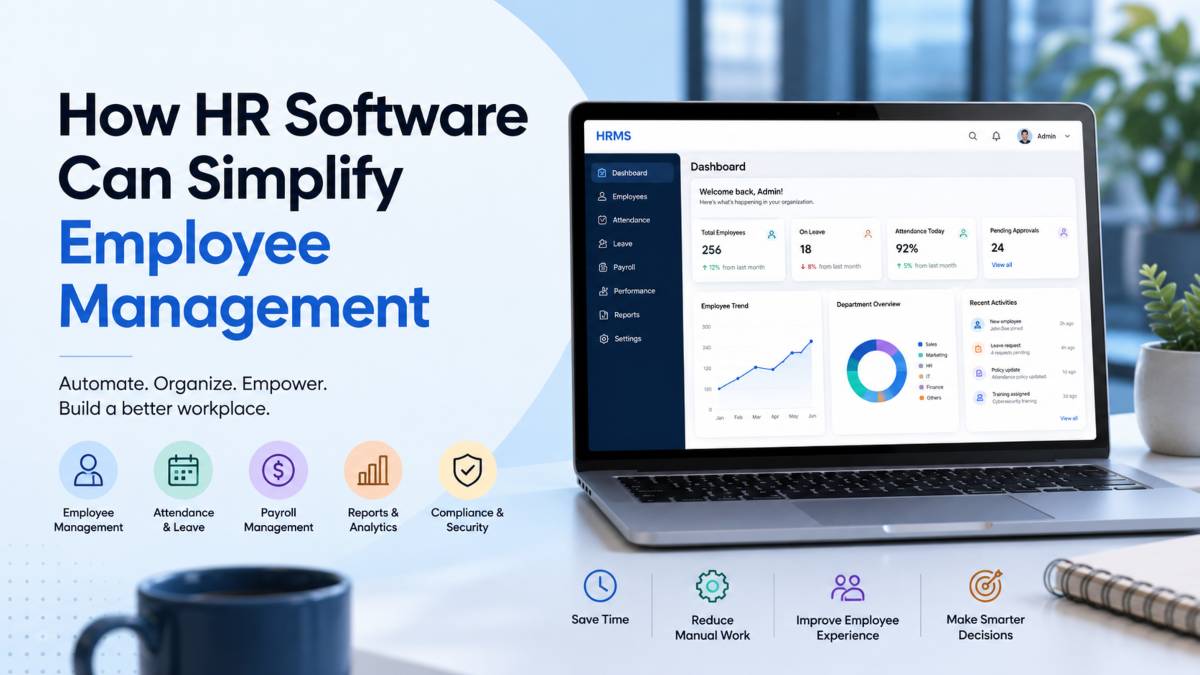
HR software simplifies these processes by centralizing operations in one connected system. Employee information, attendance records, payroll details, recruitment data, and performance tracking can all be managed from a single dashboard. This gives HR teams faster access to accurate information while reducing administrative workload.
For example, instead of manually approving leave requests through email chains, HR software can automatically notify managers, update attendance records, and store approval history instantly.
Core Features of HR Software
Most HR platforms include tools that support everyday employee management tasks, including:
- payroll management for salaries, tax calculations, and payslips
- onboarding tools for document collection and training workflows
- attendance tracking for working hours, leave requests, and absences
- employee records management with centralized digital files
- recruitment tools for hiring and candidate tracking
- analytics dashboards for workforce reporting and performance insights
These features help businesses improve accuracy, reduce paperwork, and keep HR operations organized as teams grow.
Types of HR Software Businesses Use
Businesses choose different HR systems depending on their size, goals, and workforce needs.
Common options include:
- HRIS systems for employee data and HR administration
- cloud HR software for remote access and scalability
- payroll software for salary and compliance management
- workforce management platforms for scheduling, attendance, and productivity tracking
Many modern businesses combine several of these tools into one integrated HR platform to create a smoother and more efficient employee management process.
Why Employee Management Becomes Difficult Without HR Software
Employee management becomes more complicated as businesses grow. What may work for a small team often breaks down once hiring increases, departments expand, and administrative tasks start piling up. Without organized systems in place, HR teams can quickly become overwhelmed by repetitive work, scattered information, and constant manual updates.
One of the biggest workforce management challenges is handling employee data across multiple spreadsheets, emails, and paper records. Manual processes increase the risk of data entry mistakes, outdated information, and duplicated records. Even small errors in payroll or attendance tracking can create frustration for employees and additional pressure for HR teams.
Delayed approvals also slow operations. Managers may miss leave requests buried in email threads, onboarding documents can sit unprocessed for days, and payroll updates often require repeated follow ups between departments. These delays reduce productivity and create unnecessary confusion across the organization.
Poor communication adds another layer of HR process inefficiency. When HR systems are disconnected, employees struggle to access important information, managers lack visibility into workforce data, and HR teams spend valuable time answering routine administrative questions instead of focusing on strategic work.
Compliance pressure makes employee administration problems even more difficult. Businesses must maintain accurate records, track employee documentation, manage attendance data, and follow labor regulations consistently. Manual recordkeeping increases the chances of missing deadlines, losing important documents, or failing audits.
Common HR Challenges Businesses Face
Many businesses experience the same operational problems without proper HR systems, including:
- payroll inconsistencies and salary errors
- lost employee documents and outdated records
- onboarding delays for new hires
- scheduling confusion across teams
- leave management issues and approval bottlenecks
As workforce complexity grows, these challenges become harder to manage manually. HR software helps businesses organize operations, improve communication, and reduce the administrative burden placed on HR teams.
How HR Software Simplifies Employee Management
Managing employees manually becomes harder every year. Teams grow, paperwork increases, compliance rules become stricter, and employees expect faster communication from HR departments. What once worked with spreadsheets and email chains often turns into delays, confusion, and administrative overload.
HR software simplifies employee management by organizing workflows, reducing repetitive tasks, and giving businesses a central system for handling workforce operations. Instead of spending hours on manual administration, HR teams can focus more on employee support, hiring, and business growth.
Centralized Employee Records
One of the biggest problems in manual HR management is scattered information. Employee contracts, attendance records, payroll data, and performance documents are often stored across multiple folders, emails, or spreadsheets.
HR software solves this by centralizing employee records into one secure platform.
HR teams can instantly access:
- employee contact details
- job history
- contracts and documents
- attendance records
- payroll information
- performance reviews
This reduces paperwork confusion and improves accuracy across departments. Updates happen in real time, which means managers and HR staff always work with current employee information.
For example, if an employee changes their address or banking details, the system updates records immediately without requiring multiple manual changes across separate files.
Automation of Repetitive HR Tasks
Many HR tasks consume time without adding much strategic value. Payroll calculations, leave approvals, reminders, and benefits administration often require repetitive manual work that increases the chance of errors.
HR automation handles these processes faster and with greater consistency.
Businesses can automate:
- payroll processing
- tax calculations
- leave request approvals
- employee reminders
- document collection
- benefits enrollment
This reduces administrative pressure on HR teams while improving operational accuracy.
For example, instead of manually tracking employee leave balances, HR software can automatically update remaining leave days after each approved request.
Employee Self Service Portals
Employees no longer want to rely on HR departments for every small request. Modern HR software includes self service portals that allow employees to manage routine tasks independently.
Employees can:
- request time off
- download payslips
- update personal details
- check attendance records
- view company policies
Managers can also approve requests directly through the system without long email threads or paper forms.
This reduces HR workload while improving employee experience through faster access to information.
For example, an employee working remotely can submit leave requests and access payroll information from a mobile device without contacting HR directly.
Faster Onboarding and Offboarding
Onboarding often becomes chaotic when businesses rely on manual coordination. New employees may wait days for contracts, training materials, system access, or equipment approvals.
HR software creates structured onboarding workflows that keep everything organized.
Automated onboarding systems can:
- collect employee documents digitally
- generate contracts automatically
- assign training tasks
- notify managers about pending actions
- track onboarding progress
This creates a smoother experience for both HR teams and new hires.
Offboarding processes also become more consistent because HR systems can automatically manage resignation workflows, document collection, access removal, and final payroll coordination.
For example, when a new employee joins the company, the system can automatically trigger payroll setup, training assignments, and IT access requests within minutes.
Better Time Tracking and Scheduling
Managing schedules manually often creates attendance mistakes, payroll disputes, and staffing gaps. HR software improves workforce visibility through digital attendance tracking and scheduling tools.
Businesses can monitor:
- working hours
- overtime
- shift schedules
- absences
- vacation balances
Managers receive clearer visibility into workforce availability while employees gain transparency around schedules and attendance records.
Automated scheduling tools also help reduce staffing conflicts by simplifying shift planning across teams and locations.
For example, a retail manager can adjust employee schedules in real time while staff members instantly receive updates through mobile notifications.
Improved Compliance and Recordkeeping
Compliance becomes harder to manage when employee data is scattered across disconnected systems. Missing documents, expired certifications, or inaccurate payroll records can create legal and financial risks for businesses.
HR software helps companies maintain organized and auditable records.
Most systems include:
- secure document storage
- automated reminders for renewals
- audit trails for approvals
- compliance tracking tools
- controlled employee access permissions
This improves transparency while reducing the chances of missed deadlines or incomplete records.
For example, HR software can automatically notify managers when employee certifications or compliance training require renewal.
Smarter HR Analytics and Reporting
Good workforce decisions depend on accurate data. Manual reporting often takes too long and makes it difficult to identify workforce trends clearly.
HR software provides analytics dashboards that help businesses track important workforce metrics in real time.
Companies can monitor:
- employee turnover
- hiring progress
- attendance trends
- payroll costs
- workforce productivity
- employee performance
These insights help HR leaders make faster and more informed decisions.
For example, analytics tools may reveal patterns in employee absences or high turnover within specific departments, allowing businesses to address problems earlier.
Better Employee Experience
Employees notice when HR processes feel slow, confusing, or disorganized. Delayed responses, payroll mistakes, and inconsistent communication create frustration that can affect morale and retention.
HR software improves employee experience by making interactions faster, clearer, and more reliable.
Employees benefit from:
- quicker HR support
- transparent processes
- easier access to information
- smoother onboarding experiences
- faster issue resolution
Automation also allows HR teams to spend less time on repetitive administration and more time supporting employee development and workplace culture.
For example, employees can quickly access payroll records, submit requests, and receive updates without waiting for manual responses from HR staff.
As businesses grow, employee management becomes too complex for manual systems alone. HR software helps companies organize operations, improve communication, reduce administrative workload, and create a more consistent experience across the workforce.
Modern HR automation tools help companies process payroll faster, manage onboarding more smoothly, monitor attendance accurately, and simplify communication between managers and employees. Self service portals also allow employees to access payslips, request leave, and update personal information without depending on HR for every small task.
The result is better accuracy, faster operations, stronger employee experience, and a more scalable system that supports business growth without increasing administrative chaos.
Centralized Employee Records
Managing employee information manually often creates confusion, delays, and unnecessary administrative work. Important files may be stored across spreadsheets, email threads, paper folders, or disconnected systems, making it difficult for HR teams to access accurate information quickly. As businesses grow, this lack of organization becomes a serious operational problem.
HR software solves this issue by creating a single secure database for all employee information.
Instead of searching through multiple systems, HR teams can access centralized employee records from one platform. Personal details, contracts, payroll information, attendance history, performance reviews, and compliance documents are stored in organized digital employee files that can be updated instantly when changes occur.
This improves HR data management while reducing the dependency on spreadsheets and manual recordkeeping.
Real time updates are one of the biggest advantages of centralized systems. When employee information changes, the system automatically updates records across connected HR functions. This reduces duplicate work and helps prevent outdated information from creating payroll mistakes or compliance issues.
For example, if an employee changes their contact information or banking details, HR software can immediately sync the update across payroll and employee management systems without requiring manual data entry in multiple locations.
Faster document access also improves operational efficiency. HR teams and managers can retrieve employee files within seconds instead of spending time searching through folders or requesting paperwork from different departments.
Key benefits of centralized employee records include:
- improved HR data accuracy
- faster access to employee documents
- stronger data security and access control
- reduced paperwork and spreadsheet dependency
- simplified compliance and recordkeeping
- better organization across HR operations
Digital employee files also support remote and hybrid workplaces by giving authorized staff secure access to records from different locations. As businesses continue growing, centralized HR systems help companies maintain cleaner, faster, and more organized employee management processes.
Automation of Repetitive HR Tasks
Many HR departments spend a large portion of their day handling repetitive administrative work. Payroll calculations, leave approvals, reminder emails, and employee benefits updates may seem routine, but together they consume valuable time and increase the risk of human error.
HR automation software simplifies these processes by allowing systems to complete routine tasks automatically and with greater consistency.
Automated payroll processing is one of the biggest advantages for businesses. Instead of manually calculating salaries, overtime, deductions, and tax information every pay cycle, HR software can process payroll automatically using accurate employee data stored within the system. This reduces payroll mistakes while saving hours of administrative work.
Leave approvals also become faster through workflow automation. Employees can submit vacation or absence requests digitally, while managers receive instant notifications for approval. Once approved, attendance records and leave balances update automatically without manual tracking.
Recurring reminders help HR teams stay organized without constant follow up. HR software can automatically send notifications for:
- contract renewals
- training deadlines
- probation reviews
- compliance updates
- employee document submissions
Benefits administration becomes easier as well. Employees can review and manage benefits information through self service portals while HR systems track enrollments, eligibility, and policy updates automatically.
For example, when a new employee joins the company, HR software can instantly trigger payroll setup, benefits enrollment forms, onboarding reminders, and compliance documentation requests without requiring separate manual actions from HR staff.
Key benefits of workflow automation include:
- reduced administrative workload
- faster payroll processing
- fewer manual errors
- quicker leave approvals
- improved consistency across HR tasks
- stronger operational efficiency
Automation also allows HR teams to focus more on employee engagement, hiring, and workforce planning instead of repetitive administrative processes. As businesses grow, automated systems help maintain efficiency without increasing HR complexity or workload pressure.
Employee Self Service Portals
Employees expect quick access to information without waiting for HR teams to respond to every small request. When businesses rely on manual processes, simple tasks such as requesting leave, updating personal details, or accessing payslips can create unnecessary delays and extra administrative work for HR departments.
An employee self service portal simplifies these interactions by giving employees direct access to essential HR tools through a secure digital platform.
Instead of sending emails or filling out paper forms, employees can manage routine tasks independently from their computer or mobile device. This creates a smoother and faster experience while reducing the daily workload placed on HR teams.
Common functions available through employee access tools include:
- updating personal information
- requesting vacation or sick leave
- accessing payslips and tax documents
- checking attendance records
- reviewing company policies
- tracking leave balances
Managers also benefit from workforce management software because approvals become faster and easier to monitor. Leave requests, attendance updates, and schedule changes can be reviewed and approved instantly through the system without relying on long email chains or manual paperwork.
For example, an employee working remotely can request time off through the self service portal, while the manager receives an automatic notification for approval. Once approved, the system updates attendance records and leave balances automatically without HR intervention.
Key benefits of employee self service portals include:
- reduced HR administrative workload
- faster employee request processing
- improved access to workforce information
- fewer paperwork related delays
- stronger communication between employees and managers
- better employee experience and convenience
Self service systems also improve transparency because employees can view accurate and updated information whenever needed. As businesses grow, employee access tools help HR departments manage larger workforces more efficiently while giving employees greater control over routine HR interactions.
Faster Onboarding and Offboarding
First impressions matter in every workplace. A slow or disorganized onboarding process can leave new employees confused before they even begin their role. Missing documents, delayed approvals, and unclear communication often create frustration for both HR teams and new hires. Offboarding can become equally messy when access removal, final paperwork, and company asset tracking are handled manually.
Employee onboarding software helps businesses create a smoother and more organized process from day one.
Instead of relying on printed paperwork and scattered email communication, onboarding automation allows HR teams to manage every step through a centralized system. New hires can complete digital forms online, upload documents securely, sign contracts electronically, and access training materials before their first day.
An HR onboarding system also keeps managers and departments aligned through automated workflows and onboarding checklists.
For example, once a candidate accepts an offer, the system can automatically:
- create the employee profile
- send onboarding documents
- notify payroll teams
- assign mandatory training
- request equipment setup
- schedule orientation tasks
This reduces delays while creating a more consistent employee experience across departments and locations.
Offboarding workflows benefit from automation as well. HR software can track resignation processes, manage final payroll coordination, revoke system access, and collect company equipment through organized digital checklists.
Key benefits of onboarding automation include:
- faster employee setup and document processing
- reduced manual paperwork
- consistent onboarding experiences
- better coordination between HR and managers
- fewer missed onboarding tasks
- smoother offboarding procedures
Automation also improves transparency because every onboarding and offboarding step can be tracked in real time. Employees know what tasks are completed, while HR teams gain better visibility into pending actions and deadlines.
As companies grow and hiring volumes increase, structured onboarding systems help businesses maintain efficiency, consistency, and professionalism throughout the employee lifecycle.
Better Time Tracking and Scheduling
Managing employee schedules manually often creates confusion across the workplace. Missed shifts, attendance errors, payroll disputes, and overlapping schedules can quickly affect productivity and employee satisfaction. As businesses grow, tracking working hours through spreadsheets or paper records becomes harder to manage accurately.
Time and attendance software helps businesses organize workforce scheduling through automated tracking and real time visibility.
Instead of relying on manual timesheets or email approvals, employees can clock in, submit attendance records, and manage schedules through digital systems. Managers gain immediate access to workforce data, which makes scheduling decisions faster and more accurate.
Attendance monitoring also improves payroll accuracy by reducing human error in time calculations. Working hours, overtime, absences, and break times are automatically recorded and synced with payroll systems. This helps businesses avoid incorrect salary calculations and payroll disputes caused by manual tracking mistakes.
An absence management system also simplifies leave tracking across teams. Managers can view employee availability instantly, approve requests faster, and avoid scheduling conflicts before they affect operations.
For example, a retail business using workforce scheduling software can automatically assign shifts based on employee availability while sending schedule updates directly to staff through mobile notifications. If an employee requests leave, the system updates attendance records and alerts managers immediately.
Key benefits of time and attendance software include:
- more accurate attendance monitoring
- improved payroll accuracy
- faster workforce scheduling
- reduced shift conflicts
- better absence management
- clearer visibility into employee availability
Automation also helps businesses respond faster when schedules change unexpectedly. Managers can adjust staffing levels in real time while employees receive updates instantly without relying on manual communication.
As teams become larger and more flexible, digital scheduling systems help businesses maintain smoother workforce operations while reducing administrative workload for HR and management teams.
Improved Compliance and Recordkeeping
Managing compliance manually becomes risky as businesses grow and workforce regulations become more detailed. Missing employee documents, outdated certifications, incomplete records, or missed policy updates can create serious legal and operational problems. Manual tracking systems often make it difficult for HR teams to maintain consistent and accurate records across the organization.
HR compliance software helps businesses organize employee recordkeeping through centralized digital systems that improve visibility, accuracy, and accountability.
Instead of storing files across paper folders, spreadsheets, or disconnected platforms, companies can maintain secure employee records in one controlled system. Contracts, tax forms, certifications, policy acknowledgments, and attendance records remain organized and accessible whenever needed.
Audit trails are one of the biggest advantages of digital HR systems. Every update, approval, or document change is automatically logged within the platform. This creates a clear history of actions, which helps businesses maintain transparency during internal reviews or compliance audits.
Document retention tools also simplify record management by storing employee files securely while helping HR teams follow retention policies and legal requirements. Businesses can quickly retrieve records without wasting time searching through physical files or outdated systems.
Policy tracking becomes more consistent because HR software can monitor whether employees have completed required training, signed updated workplace policies, or acknowledged compliance documents.
Regulatory reminders further reduce compliance risk by sending automatic notifications for:
- expiring certifications
- policy renewals
- training deadlines
- visa or work authorization checks
- required employee documentation updates
For example, if mandatory workplace training is due for renewal, the system can automatically notify employees and managers before deadlines are missed.
Key benefits of HR audit management include:
- stronger employee recordkeeping
- improved audit readiness
- better document security
- reduced compliance risks
- automated tracking for important deadlines
- faster access to workforce records
As compliance requirements continue changing, HR software helps businesses maintain organized records and consistent processes without increasing administrative complexity.
Smarter HR Analytics and Reporting
Good employee management depends on accurate information. When HR teams rely on spreadsheets and manual reporting, it becomes difficult to identify workforce trends, monitor performance, or make informed business decisions quickly. Important patterns often go unnoticed until problems start affecting productivity, hiring, or employee retention.
HR analytics software helps businesses turn workforce data into clear and organized insights.
Instead of spending hours building reports manually, HR teams can access real time dashboards that track important workforce metrics automatically. This gives businesses a clearer understanding of employee performance, hiring progress, attendance trends, and overall workforce costs.
Turnover tracking is one of the most valuable features for growing businesses. HR reporting tools can identify departments with higher employee turnover rates, helping companies spot retention problems before they become larger staffing issues.
Hiring metrics also improve recruitment decisions. Businesses can monitor:
- time to hire
- recruitment costs
- candidate conversion rates
- onboarding completion rates
- hiring source performance
This helps HR teams understand which hiring strategies produce stronger results while reducing recruitment delays and unnecessary costs.
Workforce analytics also provides better visibility into labor expenses, overtime patterns, and staffing needs. Managers can review workforce costs across departments and adjust planning based on accurate operational data instead of assumptions.
Performance insights become easier to track through centralized dashboards that monitor employee progress, productivity trends, training completion, and review outcomes. This helps businesses identify high performers, skills gaps, and development opportunities more consistently.
For example, HR analytics software may reveal that one department experiences higher absenteeism during certain periods of the year, allowing managers to adjust staffing plans earlier and reduce operational disruption.
Key benefits of HR reporting tools include:
- improved workforce planning
- faster access to employee data
- stronger hiring decisions
- better visibility into workforce costs
- clearer performance tracking
- more informed business decisions
As businesses grow, workforce analytics helps HR teams move beyond administrative work and make decisions based on accurate and measurable data.
Better Employee Experience
Employees notice when workplace processes feel slow, confusing, or disconnected. Waiting days for HR responses, struggling to access important documents, or dealing with inconsistent communication can quickly create frustration across teams. Over time, these problems affect morale, productivity, and employee retention.
Employee experience software helps businesses create smoother and more organized interactions between employees, managers, and HR departments.
One of the biggest improvements comes from faster HR support. Instead of relying on lengthy email chains or manual paperwork, employees can access information, submit requests, and receive updates through centralized digital platforms. This reduces delays while helping HR teams respond more efficiently.
Transparent communication also improves workplace trust. Employees can track leave requests, onboarding progress, payroll updates, and policy announcements in real time without constantly following up with HR staff.
Employee engagement tools add another layer of support by helping businesses recognize employee achievements, collect feedback, and improve communication across teams. Recognition systems, surveys, and performance tracking features help employees feel more connected to the organization while giving managers better visibility into workforce satisfaction.
Smoother workflows also reduce frustration during routine HR interactions. Tasks such as requesting leave, accessing payslips, completing training, or updating personal information become faster and easier through self service systems and automated workflows.
For example, an employee can submit a leave request through the HR platform, receive instant approval notifications, and view updated leave balances immediately without contacting HR directly.
Key benefits of stronger HR service delivery include:
- faster employee support and communication
- clearer access to workforce information
- improved transparency across HR processes
- smoother employee workflows
- stronger engagement and satisfaction
- reduced administrative frustration
As businesses compete to attract and retain skilled employees, the overall workplace experience becomes increasingly important. HR software helps companies create more responsive, organized, and employee friendly environments without adding unnecessary complexity to HR operations.
Real Example of HR Software in Action
HR software becomes far more valuable when businesses see how multiple tasks connect automatically behind the scenes. Instead of relying on emails, spreadsheets, and manual follow ups, modern HR systems can manage onboarding workflows from one centralized platform.
Example Workflow for a New Hire
Imagine a growing company hiring a new marketing employee. In a manual setup, HR would need to collect documents through email, create employee records separately, notify payroll teams manually, assign onboarding tasks, and follow up with managers one step at a time. This process often creates delays, missed tasks, and unnecessary administrative pressure.
With HR software, the entire workflow becomes faster and more organized.
The process begins when the new employee uploads identification documents, signed contracts, and personal information through the onboarding portal. As soon as the documents are submitted, the HR system automatically creates the employee profile and stores all information securely in centralized digital records.
At the same time:
- HR receives instant notifications confirming document completion
- payroll setup begins automatically using submitted employee details
- mandatory training assignments are activated within the system
- IT or equipment requests can be triggered automatically
- the hiring manager receives an onboarding checklist with pending tasks and deadlines
Each step happens within the same workflow without requiring constant manual coordination between departments.
The employee can also track onboarding progress directly through the platform, which creates a smoother and more transparent experience from the first day of employment.
This type of automation reduces paperwork delays, improves communication, and helps businesses create a more consistent onboarding process across the organization.
Challenges Businesses May Face With HR Software
HR software can improve efficiency, organization, and employee management, but the transition is not always smooth. Businesses often face operational and technical challenges during implementation, especially when moving away from manual systems that employees have used for years.
One of the biggest obstacles is HR system migration. Moving employee records, payroll data, attendance history, and compliance documents from spreadsheets or outdated systems into a new platform requires careful planning. Incomplete or inaccurate data can create problems during setup and reduce confidence in the new system.
Employee training is another common challenge. Even the best software can create frustration if employees and managers do not understand how to use it properly. Teams may resist new processes when they feel overwhelmed by unfamiliar workflows or technology changes.
Software mismatch also creates issues during digital HR transformation. Some businesses choose platforms packed with unnecessary features while overlooking tools that solve their actual workforce problems. This can lead to complicated workflows, poor user experience, and higher operational costs.
Setup complexity becomes more noticeable in larger organizations with multiple departments, locations, or approval structures. Integrating payroll, attendance tracking, onboarding, and reporting systems may take time and require ongoing adjustments during the early stages of implementation.
How to Avoid Common HR Software Mistakes
Successful HR software implementation starts with choosing scalable software that matches current business needs while supporting future growth. Businesses should focus on tools that simplify operations instead of selecting overly complex systems with features they may never use.
Training teams early also improves adoption. Employees and managers should understand how the platform works before it becomes part of daily operations. Clear onboarding and support reduce confusion while improving confidence in the new system.
Before migration begins, companies should clean employee data and remove outdated or duplicate records. Accurate information makes implementation smoother and improves long term reporting accuracy.
Businesses should also focus on essential features first, such as payroll, attendance tracking, onboarding, or employee records management. Starting with core functions allows teams to adjust gradually before expanding into more advanced automation tools.
Best Practices for Choosing HR Software
Choosing the right HR software can improve employee management, reduce administrative pressure, and support long term business growth. The wrong system, however, can create confusion, increase workload, and frustrate employees. Businesses should focus on practical needs instead of getting distracted by unnecessary features or overly complex platforms.
Focus on Business Needs
Every company manages employees differently, so HR software should match actual operational requirements. A small business may need simple payroll and attendance tools, while larger organizations may require advanced workforce management, onboarding automation, and analytics features.
Before selecting a platform, businesses should identify the biggest HR pain points they want to solve first. This helps avoid investing in software that adds complexity without improving daily operations.
Choose User Friendly Software
Even powerful HR systems can fail if employees and managers struggle to use them. Software should feel simple, organized, and easy to navigate for both HR teams and staff members.
User friendly platforms improve adoption because employees can complete tasks such as leave requests, attendance tracking, and document access without constant training or support.
Mobile access also becomes increasingly important for remote teams and businesses with field employees who need flexible access to HR tools.
Look for Automation Features
Automation saves time and reduces repetitive administrative work. Businesses should look for HR software that simplifies payroll processing, onboarding workflows, leave approvals, reminders, and document management.
Strong automation features help HR teams reduce manual errors while improving operational consistency across departments.
Evaluate Reporting and Analytics
Good HR software should provide clear visibility into workforce performance and operational trends. Reporting tools help businesses monitor attendance, turnover, payroll costs, hiring activity, and employee performance from one centralized dashboard.
Access to accurate workforce data supports faster and more informed business decisions.
Consider Scalability
HR software should support business growth without requiring constant system replacement. Scalable platforms allow companies to add employees, departments, locations, and advanced features as operational needs expand.
Businesses should also evaluate:
- ease of use
- software integrations
- mobile accessibility
- security features and data protection
- pricing flexibility
- quality of customer support
The best HR systems simplify employee management while remaining flexible enough to support future workforce growth and operational changes.
The Future of HR Software and Workforce Management
The future of HR technology is moving toward smarter systems that help businesses manage employees with greater speed, accuracy, and flexibility. HR software is no longer limited to payroll processing or document storage. Modern platforms are becoming intelligent workforce management systems that support decision making, employee engagement, and long term business planning.
AI in HR management is already changing how companies recruit, onboard, schedule, and support employees. Artificial intelligence can analyze workforce data in real time to identify hiring trends, employee turnover risks, attendance patterns, and performance gaps. This allows HR teams to make faster and more informed decisions instead of relying on manual reporting.
Predictive workforce analytics will also play a larger role in future HR operations. Businesses will be able to forecast staffing needs, identify retention risks earlier, and improve workforce planning using historical and live employee data.
Remote workforce management continues shaping HR software development as well. Companies now need systems that support hybrid and remote teams across different locations and time zones. Mobile HR access allows employees and managers to handle approvals, schedules, payroll information, and communication directly from smartphones or tablets.
Personalized employee experiences are becoming another major focus. HR platforms are increasingly designed to deliver customized training, feedback, benefits information, and career development recommendations based on employee needs and behavior.
As smart workforce management continues evolving, businesses that invest in modern HR technology will be better prepared to support flexible work environments, improve employee satisfaction, and manage growing teams with greater efficiency.
Final Thoughts
Managing employees through spreadsheets, paperwork, and disconnected systems becomes harder as businesses grow. Delayed approvals, payroll mistakes, scattered records, and repetitive administrative work can slow operations and create frustration across teams. HR software helps businesses replace these manual processes with faster, more organized, and more accurate workforce management systems.
From onboarding and payroll to attendance tracking and employee communication, modern HR platforms simplify daily operations while improving consistency across the organization. Automation reduces repetitive work, centralized records improve visibility, and self service tools create a smoother experience for employees and managers alike.
The value goes beyond efficiency alone. Businesses that invest in HR software gain stronger control over workforce operations, better reporting visibility, and more time to focus on hiring, employee engagement, and long term growth.
As workforce expectations continue changing, companies that modernize HR processes will be better prepared to manage growing teams without increasing administrative complexity.
Request a demo, start a free trial, or talk to an HR software specialist to find the right solution for improving your employee management processes today.