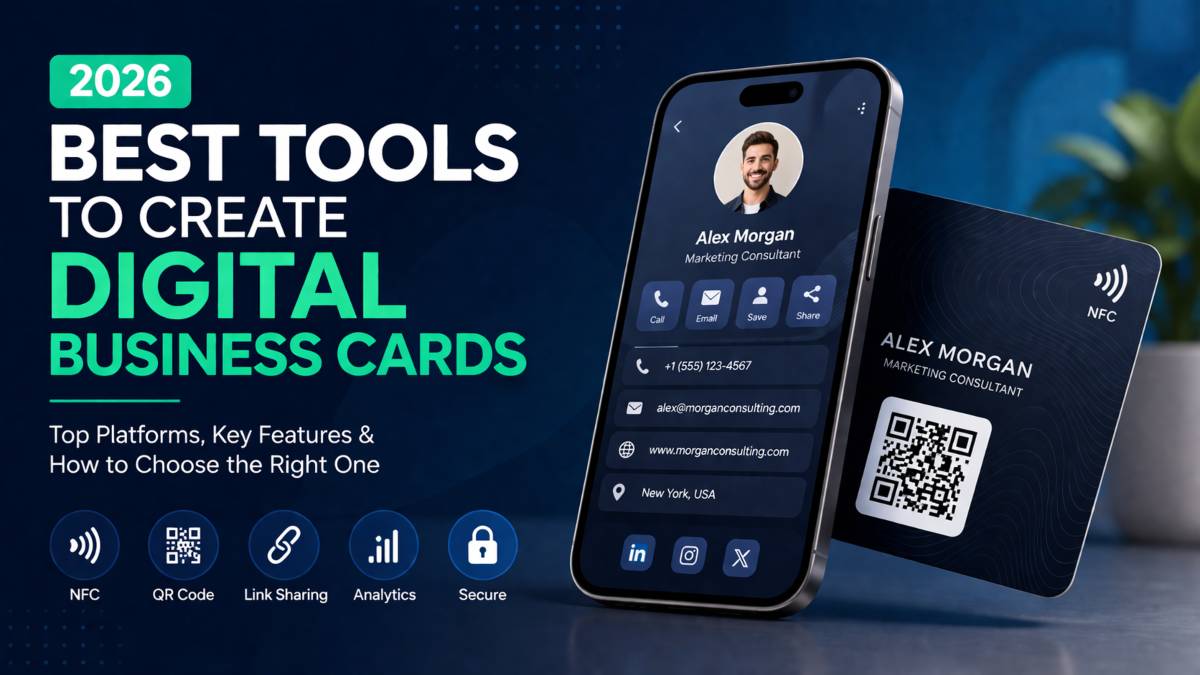
Paper business cards had their moment. Now they feel slow, easy to lose, and hard to update. You hand one over, and that is where it ends. No links, no updates, no real connection beyond a name and number.
That shift is why more people are searching for the best tools to create digital business cards. Networking has moved online, and the tools have moved with it. You can now share your profile with a tap, update your details anytime, and connect your card to platforms you already use.
This guide cuts through the noise. You will see which tools stand out, what they offer, and how they fit different needs, from personal branding to full team rollout.
Why Digital Business Cards Matter in 2026
Digital business card apps have moved far beyond simple contact sharing. They now sit at the center of how people connect, follow up, and stay visible. What used to be a one time exchange is now an ongoing link between you and your network.
From Static Cards to Interactive Profiles
A paper card holds fixed information. A digital card evolves. You can include links to your website, social profiles, portfolio, or booking page. You can update details anytime without reprinting anything. As noted in Card.biz insights, this shift turns a basic card into a live profile that reflects what you are doing right now.
How Digital Cards Improve Networking
Speed matters. With digital networking tools, you can share your details through a tap, scan, or link in seconds. No typing, no lost cards. Some platforms also track interactions, so you can see who viewed or saved your card. This adds a layer of visibility that traditional cards never offered.
Personal vs Team Use Cases
For individuals, digital cards support personal branding and quick sharing. You control how you present yourself and adjust it as your work evolves. For teams, these tools offer consistency. Companies can roll out branded cards across employees, keep details updated, and connect them to systems that manage contacts and leads.
Key Features to Look For in Digital Business Card Tools
Before you choose a platform, you need to know what actually matters. Many tools look similar at first glance, but the difference shows up in how they work day to day. If you want to create digital business cards online that people actually use and remember, focus on features that support sharing, branding, and follow up.
Easy Sharing Options
The best tools remove friction. You should be able to share your card through NFC tap, QR code, or a simple link. Different situations call for different methods. A quick scan at an event, a tap during a meeting, or a link in an email. The easier it is to share, the more often it gets used.
Custom Design and Branding
Your card represents you. A strong tool gives you control over how it looks and feels. Templates help you start quickly, but you should also be able to adjust colors, layout, and content. This is especially important for personal branding or companies that want a consistent look across teams.
CRM and Contact Management
A digital card should not stop at sharing details. It should help you capture and manage contacts. Some tools connect directly with CRM systems so new contacts are saved and organized without manual entry. This turns a simple exchange into something you can follow up on.
Security and Data Control
For individuals, this might not seem critical. For teams, it matters a lot. Look for platforms that offer strong data protection and clear control over user access. Features tied to compliance standards help keep information secure and manageable as your network grows.
Analytics and Tracking
Knowing who viewed or saved your card gives you an edge. Some tools show interaction data so you can understand how people engage with your profile. This helps you adjust your approach and improve how you connect with others over time.
Best Tools to Create Digital Business Cards in 2026
Choosing the right platform comes down to how you work. Some tools focus on speed and simplicity. Others go deeper into contact management or team level control. These are the best digital business card platforms in 2026, each built for a different type of user.
Blinq
Blinq is one of the most widely used tools right now. It works well for both individuals and teams because it keeps things simple without cutting key features. The interface is clean, sharing is fast, and setup takes very little time. It also supports NFC cards, which makes in person sharing smooth. If you want something reliable that just works, this is a strong starting point.
Tapitag
Tapitag stands out for flexibility. You are not locked into one way of sharing. You can use NFC, QR codes, or direct links depending on the situation. This makes it useful for people who move between online and offline networking often. It keeps the process simple while giving you more ways to connect with others.
QRCodeChimp
QRCodeChimp is built for larger teams and organizations. It focuses on control, security, and scale. Features like bulk creation and management make it easier to handle multiple users. It also supports strong data protection standards, which matters when you are managing contact data across a company. This is a better fit for structured environments than casual use.
HiHello
HiHello keeps things focused on personal branding. It is easy to use and offers clean templates that look professional without much effort. You can customize your card to match your style and share it quickly. This makes it a good option for freelancers, consultants, or anyone building their own identity online.
Wave Connect
Wave Connect goes beyond simple sharing. It puts more focus on how you manage and use your contacts after the first exchange. With built in workflows and contact tracking, it suits people who rely on networking as part of their daily work. If you care about follow up as much as first contact, this tool adds more depth.
Canva
Canva is not a dedicated digital card platform, but it plays a useful role. It gives you full control over design, which is ideal if you want something unique. You can create a custom card layout and then connect it to a QR code or link for sharing. It is best suited for those who value visual identity and want more creative freedom than standard templates allow.
Comparison of Top Digital Business Card Tools
Not every tool fits every user. The right choice depends on how you network, how often you share your details, and whether you work alone or as part of a team. Here is a clear digital business card comparison based on real use cases.
Best for Individuals
Blinq and HiHello are strong choices for personal use. Both are easy to set up and simple to manage. Blinq focuses on speed and clean design, while HiHello leans more into customization for personal branding. If you want something quick and reliable, either works well.
Best for Teams and Enterprises
For larger setups, QRCodeChimp and Wave Connect stand out. QRCodeChimp offers strong control and bulk management, which helps when handling many users. Wave Connect adds more depth with contact tracking and workflows, making it useful for teams that rely on structured follow up.
Best for Design and Creativity
Canva is the go to option if design matters most. It gives you full control over layout and visuals. You can create something unique instead of relying on standard templates, then share it through QR codes or links.
Best for Sharing Flexibility
Tapitag leads when it comes to sharing options. NFC, QR codes, and direct links are all built in, so you can adapt to any situation without changing your setup.
How to Choose the Right Tool for Your Needs
Picking a platform is less about features on a list and more about how you actually use it. The right choice fits your workflow, not someone else’s. If you are trying to choose a digital business card tool, start with your main goal and work from there.
For Personal Branding
If you are building your own presence, keep it simple. You want a tool that is easy to set up and quick to update. Design matters here because your card reflects your identity. Look for clean templates and enough flexibility to match your style without spending hours adjusting details.
For Sales Teams
For teams focused on outreach, the tool needs to go beyond sharing. CRM integration and tracking become important. You want to capture contacts, track interactions, and follow up without manual effort. The goal is to turn every exchange into a usable lead, not just a one time connection.
For Large Organizations
Scale changes everything. When many people use the same system, control and structure matter more. Look for tools that support user management, data protection, and consistent branding across the company. The system should handle growth without creating extra work for your team.
For Creative Professionals
If visual identity is central to your work, design flexibility should lead your decision. You need full control over layout, colors, and presentation. A tool that limits creativity will feel restrictive, so choose one that lets you shape your card the way you want it to appear.
Common Mistakes When Choosing Digital Business Card Tools
Most people pick a tool too quickly and pay for it later. The wrong choice does not just slow you down. It breaks your workflow.
Choosing Based Only on Design
A clean design looks good, but it is not enough. If the tool fails at sharing, tracking, or updates, design will not save it. Function comes first. Visuals come after.
Ignoring Integration Needs
If your card does not connect with your existing tools, you create extra work. Manual entry, missed contacts, and lost follow ups become normal. Always check how the platform fits into your current setup before choosing it.
Overlooking Scalability
What works for you now may not work in six months. If your network grows or your team expands, your tool should handle it without friction. Choosing something too limited forces you to switch later, which costs time and effort.
Not Testing Sharing Experience
A digital card is only useful if it is easy to share. If people struggle to scan, tap, or open your card, they will move on. Always test the full experience before committing. If it feels slow or confusing, it will not work in real situations.
Final Thoughts
The best tool is not the one everyone talks about. It is the one that fits how you work. Your needs should guide the choice, not trends or popularity.
Start with what matters most to you. Sharing, design, tracking, or team use. Pick a tool that supports that without adding friction.
Then test it. Use it in real situations. See how it feels, how fast it works, and how people respond.
The right tool becomes part of your workflow. The wrong one becomes something you avoid. Choose carefully, then start using it.