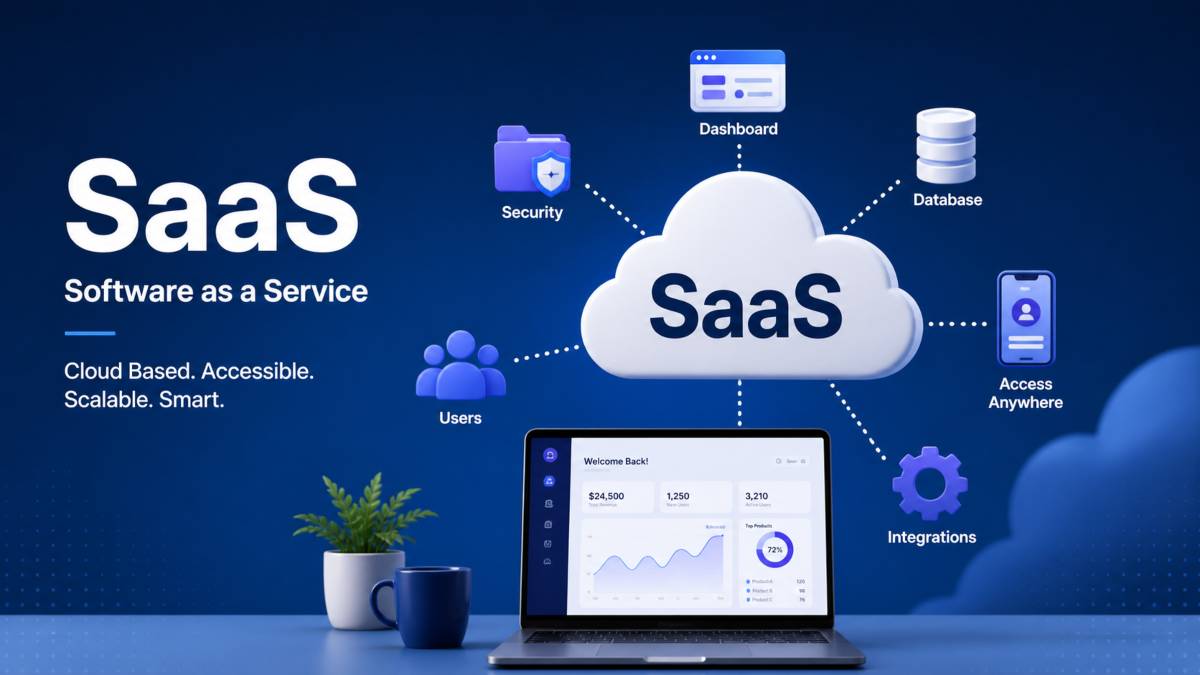
Software as a Service, often called SaaS, is a way of using software through the internet instead of installing it on a computer. In simple terms, it means you open a website or app, log in, and start using the software without worrying about setup or installation. The provider runs everything on their own servers and you just access it online.
In traditional software models, users had to buy a license, download the program, and install it on their device. Updates, storage, and maintenance were also the user’s responsibility. SaaS changes this approach completely by moving everything to the cloud, where the software is hosted and managed by the provider.
This shift from installation based software to online access has made tools much easier to use and maintain. Users can access their work from anywhere as long as they have an internet connection.
Popular SaaS examples include Google Workspace for documents and emails, Zoom for video meetings, and Slack for team communication. These tools show how SaaS has become part of daily work and collaboration across the world.
SaaS Meaning in Simple Terms
SaaS means using software as a service instead of buying it as a product. In the past, people would purchase software once, install it on their device, and own that version forever. With SaaS, there is no ownership of the software itself. Instead, users pay to access it while it is being hosted and managed online by the provider.
This system is based on subscriptions. Users usually pay monthly or yearly to continue using the software. If the subscription stops, access to the tool also stops. This model allows companies to continuously improve their software, add new features, and keep everything updated without asking users to install anything.
People prefer SaaS tools because they are simple, flexible, and easy to access. There is no need for complicated setup or technical knowledge. You can log in from any device and continue your work from anywhere, which makes it very convenient for students, freelancers, and businesses.
SaaS is used in many everyday situations. Email services like Gmail, file storage tools like Google Drive, communication apps like Slack, and video meeting platforms like Zoom are all examples of SaaS in action. These tools have become a natural part of daily work, study, and communication because they save time and remove technical barriers.
How SaaS Works Behind the Scenes
Cloud Based Infrastructure
SaaS runs on cloud servers instead of a single computer or local system. This means the software lives on powerful data centers connected to the internet. When a user opens a SaaS application, their request goes to these cloud servers, which process the task and send the result back instantly.
Many SaaS platforms rely on major cloud providers such as AWS, Microsoft Azure, and Google Cloud. These platforms provide storage, computing power, and network systems that allow SaaS applications to run smoothly at a global scale.
Multi Tenant Architecture
Most SaaS systems use a structure called multi tenant architecture. In this setup, one software system serves many users at the same time. Even though users share the same platform, their data stays separate and protected.
For example, if thousands of companies use the same project management tool, each company will only see its own data. Strong security systems ensure privacy and safe data storage for every user.
User Access System
Users access SaaS platforms through a web browser or mobile application. After signing up, they log in using credentials such as email and password. Some platforms also use advanced methods like single sign on, which allows access through one secure login across multiple services.
Maintenance and Updates
One of the biggest advantages of SaaS is that users do not need to handle updates. The provider manages everything in the background. New features, bug fixes, and security improvements are added automatically. This ensures users always work with the latest version without any manual effort.
Key Features of SaaS
SaaS platforms come with several important features that make them popular for both individuals and businesses.
- Subscription based pricing that allows users to pay monthly or yearly instead of buying software outright
- No installation required, since everything runs online through a browser or app
- Automatic updates handled by the provider, so users always have the latest version
- Easy scalability, allowing businesses to add or remove users and features as needed
- Cloud storage integration, which makes it simple to save, access, and share data from anywhere
These features make SaaS flexible, cost effective, and easy to manage, especially for modern digital workflows where remote access and collaboration are important.
How Users Interact With SaaS Platforms
Signup and Subscription
The first step in using any SaaS platform is creating an account. Users usually visit the website or app, choose a pricing plan, and complete the registration process. Most platforms offer different subscription options based on features, number of users, or storage needs. After payment or plan selection, the account becomes active.
Login and Access
Once the account is created, users can log in using their email and password. Some platforms also offer secure login methods like single sign on or two step verification. After logging in, users are taken directly to their dashboard where all tools and features are available.
Using Features in Daily Work
Inside the platform, users interact with different features depending on the purpose of the software. For example, in a communication tool, users can send messages and create channels. In a design tool, they can create and edit visuals. Everything is available online, so work can continue from any device with internet access.
The dashboard acts as the main control center. It shows important information, recent activity, and quick access to tools. This makes it easy for users to stay organized and manage tasks without confusion.
Admin Controls and Integrations
For businesses, SaaS platforms also provide admin controls. These allow managers to add or remove users, set permissions, and manage billing from one place. This helps keep everything organized and secure.
Many SaaS tools also support integrations and APIs. This means they can connect with other software like email services, CRM systems, or project management tools. These connections help automate workflows and reduce manual work, making business operations smoother and more efficient.
Benefits of SaaS for Businesses
SaaS offers several advantages that make it a popular choice for modern businesses of all sizes. One of the biggest benefits is lower setup costs. Companies do not need to invest in expensive hardware, servers, or software licenses. Instead, they simply subscribe to a service and start using it right away.
Another major advantage is easy scalability. Businesses can quickly increase or decrease the number of users or features based on their needs. This flexibility is useful for growing companies or teams that experience seasonal changes in workload.
Remote access flexibility is also a key benefit. Since SaaS tools are cloud based, employees can access them from anywhere using an internet connection. This supports remote work, travel, and global team collaboration without any limitations.
SaaS also reduces IT maintenance work. The service provider handles updates, security, backups, and system management. This allows businesses to focus more on their core activities instead of dealing with technical issues.
Faster deployment is another important benefit. Traditional software setups can take days or weeks, but SaaS platforms can be activated within minutes. Teams can start working immediately after signup, which improves productivity and saves time.
Overall, SaaS helps businesses operate more efficiently while reducing costs and technical challenges.
Common SaaS Examples in Real Life
SaaS tools are used in almost every part of daily work, communication, and business operations. These platforms run online and help users complete tasks without installing complex software.
Google Workspace is widely used for email, documents, spreadsheets, and cloud storage. It allows teams to collaborate in real time from different locations.
Microsoft 365 offers similar tools like Word, Excel, and Outlook in an online format, making it easy to work on files from any device.
Slack is a communication platform designed for team messaging and collaboration. It helps organize conversations into channels for better workflow.
Zoom is used for video meetings, online classes, and virtual communication. It connects people instantly through video and audio calls.
Salesforce is a customer relationship management tool that helps businesses manage sales, leads, and customer data in one system.
HubSpot provides marketing, sales, and customer service tools that help companies grow and manage their customer relationships more effectively.
These SaaS platforms show how cloud based software has become essential for communication, productivity, and business management in everyday life.
SaaS vs Traditional Software
SaaS and traditional software differ mainly in how they are delivered, accessed, and maintained.
Installation vs cloud access
Traditional software must be downloaded and installed on a device before use. It is tied to that specific system. SaaS works through the internet, so users simply log in through a browser or app without installation.
One time payment vs subscription
Traditional software usually requires a one time purchase or license fee. SaaS follows a subscription model where users pay monthly or yearly to continue using the service.
Maintenance differences
With traditional software, users are responsible for updates, bug fixes, and upgrades. In SaaS, the provider handles all maintenance, including updates, security patches, and performance improvements automatically.
Accessibility comparison
Traditional software is often limited to the device it is installed on. SaaS can be accessed from any device with internet access, making it more flexible for remote work and collaboration.
Overall, SaaS offers more convenience and flexibility, while traditional software provides local control but requires more manual management and setup.
Future of SaaS
The future of SaaS is closely connected with the growth of cloud based tools. As more businesses move their operations online, SaaS platforms will continue to replace traditional software. This shift is driven by the need for faster access, lower costs, and easier management of digital tools.
One major change is the integration of AI in SaaS platforms. Many tools are already using artificial intelligence to automate tasks, improve customer support, and analyze data. This will make SaaS products smarter and more efficient over time.
The increasing adoption of remote work is also shaping the future of SaaS. Teams now work from different locations, so they need tools that support real time collaboration, file sharing, and communication from anywhere in the world.
Another important trend is the expansion of SaaS ecosystems. Instead of using single tools, businesses are now connecting multiple SaaS applications together. This creates a connected system where marketing, sales, communication, and analytics tools work in sync.
Overall, SaaS is becoming more advanced, more connected, and more essential for both businesses and individuals in the digital world.
Conclusion
SaaS has changed the way software is used by moving it from local installation to internet based access. Instead of buying and installing programs, users can now simply log in and use powerful tools from anywhere. This makes software more flexible, easier to manage, and more accessible for individuals and businesses.
From communication apps to business management platforms, SaaS has become a core part of daily digital life. It reduces technical effort, removes the need for heavy maintenance, and allows companies to focus more on growth rather than software management.
As technology continues to improve, SaaS will keep evolving with smarter features, stronger integrations, and wider use across industries. It is now a key part of how modern businesses operate and how people work, collaborate, and stay productive online.