Speed is no longer a bonus in web development. It is the difference between shipping ideas or watching them stall. The developers who move fast are not typing harder. They are using smarter tools.
Modern workflows are built on systems that cut repetition, reduce friction, and keep momentum alive. The right tools handle the boring parts so you can focus on logic, design, and clean execution. That shift changes everything. What once took days now takes hours.
Today’s web development stack is not just about writing code. It is about how quickly you can go from idea to working product. AI tools assist with writing and fixing code in real time. Cloud platforms remove setup headaches and make collaboration smooth. Automation tools take care of routine tasks in the background. Utility tools sharpen performance and design.
Put together, these tools form a workflow that feels fast, controlled, and sharp. The result is simple. Less waiting. More building.
Why the Right Web Development Tools Matter
The tools you choose decide how fast you move and how clean your work stays. Good tools do not just speed things up. They remove friction from every step of the process. When your setup is tight, you spend less time fixing mistakes and more time building things that work.
Speed vs Quality The Real Balance
There is a common fear that working faster means cutting corners. In reality, the opposite is often true. The right tools help you write better code in less time. Smart editors catch errors early. AI assistants suggest cleaner solutions. Automation handles repetitive tasks with precision.
This means fewer bugs, fewer rewrites, and less mental fatigue. Instead of rushing through messy code, you move quickly with control. Speed and quality stop competing and start working together.
How Tools Shape Developer Workflow
Every stage of development is shaped by the tools behind it. From the first line of code to the final deployment, tools guide how work flows. Code editors speed up writing. Cloud platforms make testing and sharing instant. Automation tools connect services and handle background tasks without constant input.
When these tools work together, the workflow becomes smooth and predictable. You spend less time switching contexts and more time staying in the zone. The result is not just faster output, but a cleaner and more reliable development process.
AI Powered Tools That Accelerate Coding
There was a time when writing code meant building everything line by line, hunting bugs in the dark, and repeating the same patterns until your brain went numb. That time is fading. AI coding tools have changed the rhythm of development. They do not replace developers. They remove the slow parts that drain focus.
These tools read your intent as you type. They predict what comes next, suggest cleaner logic, and help you avoid common mistakes before they happen. The result is simple. Less repetition, more flow, and faster progress from idea to working code.
Smart Code Editors and Assistants
At the center of this shift sits Visual Studio Code. It is flexible, fast, and packed with extensions that turn it into a powerful workspace. Add AI support, and it becomes more than an editor. It becomes a partner that keeps up with your pace.
Then there is Tabnine. It learns from your coding style and offers suggestions that feel tailored, not generic. Instead of typing out full structures, you accept smart completions and move forward without breaking your rhythm.
For developers who value speed above all, Sublime Text remains a strong choice. It is lightweight, sharp, and built for handling large files without slowing down. Pair it with AI tools, and it becomes a fast lane for focused work.
AI Tools Changing Developer Habits
The real shift is not just in tools, but in how developers think and work. Tools like Claude Code push this further by turning complex tasks into simple interactions. You describe what you need, and the tool helps build or refine it.
Debugging becomes quicker because issues are flagged early. Suggestions appear before you even search for them. Repetitive tasks fade into the background as automation takes over.
This changes the pace of work. You spend less time fixing and more time creating. The loop between idea and execution tightens. Coding feels less like a grind and more like momentum that carries you forward.
Cloud Based Development Tools for Rapid Prototyping
There is something liberating about opening a browser and starting a project instantly. No setup, no version conflicts, no wasted time configuring environments. Cloud based development tools shift the starting line closer to the idea itself. You think it, you open a tab, and you begin.
This approach cuts through one of the oldest bottlenecks in web development. Local setup can slow teams down, especially when multiple developers need identical environments. Cloud IDE tools remove that friction. Everything runs in the browser, ready to go, and easy to share.
Browser Based IDEs
Tools like CodeSandbox make prototyping feel almost effortless. You can build, test, and share projects in real time. Changes update instantly, which means feedback comes faster and iterations happen without delay.
Then there is Lovable, designed for speed and simplicity. It allows developers to generate applications quickly within a clean interface. The focus stays on building, not configuring.
The biggest advantage here is clear. No installation. No system limits. Just open and start working.
Low Code and Visual Builders
For projects that need to move even faster, visual platforms step in. Wix Studio gives developers the power to design and launch responsive sites with far less manual effort.
Instead of writing every detail from scratch, you use structured components and visual controls. This reduces development time while still allowing customization where it matters.
Together, these tools create a workflow that feels immediate and collaborative. Teams can jump in, test ideas, and refine them together without delays. The distance between concept and working product becomes shorter, and that changes how fast you can move.
Automation Tools That Save Hours of Work
There is a quiet truth in web development. Most of the time is not spent building new things. It is spent repeating the same steps again and again. Compile this. Minify that. Connect this service. Trigger that workflow. It adds up, and it drains focus.
Automation tools step in to take that weight off your shoulders. They handle routine backend tasks with speed and consistency, freeing you to focus on logic and structure. Once set up, they run in the background like a well tuned engine, keeping everything moving without constant input.
Build and Task Automation
When it comes to speeding up development pipelines, tools like Bun are built for performance. It handles bundling and running code at a pace that feels sharp and responsive. Less waiting means tighter feedback loops.
Then you have Gulp and Grunt, both designed to take repetitive tasks off your plate. They automate processes like file optimization, preprocessing, and asset management. Instead of running commands manually, you set rules once and let the system handle the rest.
The payoff is immediate. Tasks that used to interrupt your flow now happen quietly in the background.
Workflow and API Automation
Beyond build processes, automation extends into how systems talk to each other. Tools like n8n allow you to connect services and create custom workflows without constant manual input. You can link APIs, trigger actions, and move data across systems with ease.
Similarly, Pipedream focuses on simplifying backend logic. It lets you build workflows that respond to events in real time, reducing the need for repetitive coding.
Together, these tools cut down hours of manual work. They reduce human error, keep processes consistent, and give you back time to focus on what actually matters. Building, refining, and shipping faster without getting stuck in the same loop.
Essential Utility Tools Every Developer Should Use
Not every tool writes code for you. Some of the most valuable ones sit quietly in the background, sharpening performance, tightening layouts, and helping you spot issues before users ever see them. These are the tools that turn working code into polished products.
They focus on two things that matter most in modern web development. Speed on the screen and clarity in the experience. When used well, they make your site feel fast, stable, and visually clean without adding unnecessary complexity.
Frontend Frameworks and Debugging Tools
Bootstrap remains a go to choice for building responsive layouts quickly. It gives you a ready made system of grids, components, and styles that adapt across devices. Instead of building layouts from scratch, you assemble them with precision and move forward faster.
Then there is Chrome DevTools, which acts like a control room for your website. You can inspect elements, test changes in real time, and track performance issues as they happen. If something breaks or slows down, you see it immediately and fix it on the spot.
Together, these tools keep your interface smooth and your debugging process tight.
Data Handling and Design Enhancements
Handling data well is what keeps applications responsive and reliable. TanStack helps manage complex state and data fetching without turning your code into a mess. It keeps everything structured, which means fewer bugs and faster updates on the screen.
On the visual side, Spline brings a new layer of interaction. It allows you to add three dimensional elements that respond to user input, giving your interface a modern and engaging feel without heavy setup.
These tools are not about adding extra features for the sake of it. They refine how your application looks and behaves. The result is a faster interface, smoother interactions, and a user experience that feels sharp from the first click to the last.
How to Choose the Right Web Development Tools
Choosing the right tools is less about trends and more about fit. The best setup is the one that matches your project, your skill level, and the way you like to work. When those three align, development feels smooth and focused instead of chaotic.
Based on Project Type
Not every project needs a heavy stack. Small projects or quick builds benefit from lightweight tools that let you move fast without setup overhead. A simple editor, a browser based environment, and a few core libraries can be enough.
Larger applications demand more structure. Enterprise level work often requires tools that support scalability, testing, and team coordination. Here, automation and integration become essential to keep everything running without friction.
Based on Skill Level
Your experience level shapes how you interact with tools. Beginners often need tools that reduce complexity and guide them through the process. Visual builders and intuitive editors help shorten the learning curve and build confidence.
More experienced developers tend to prefer flexibility and control. They lean toward tools that allow customization, deeper configuration, and faster execution without restrictions.
Based on Workflow Needs
Every developer has a rhythm. Some prioritize speed, others value collaboration, and many need strong automation to handle repetitive tasks. The right tools support that rhythm rather than disrupt it.
If you work in teams, choose tools that make sharing and feedback easy. If you work solo, focus on speed and efficiency. When automation fits into your workflow, it removes routine work and keeps your focus where it belongs. Building and refining without unnecessary interruptions.
Best Tool Combinations for Faster Workflow
Speed does not come from one great tool. It comes from how well your tools work together. The right combination creates a smooth flow where each step connects without friction.
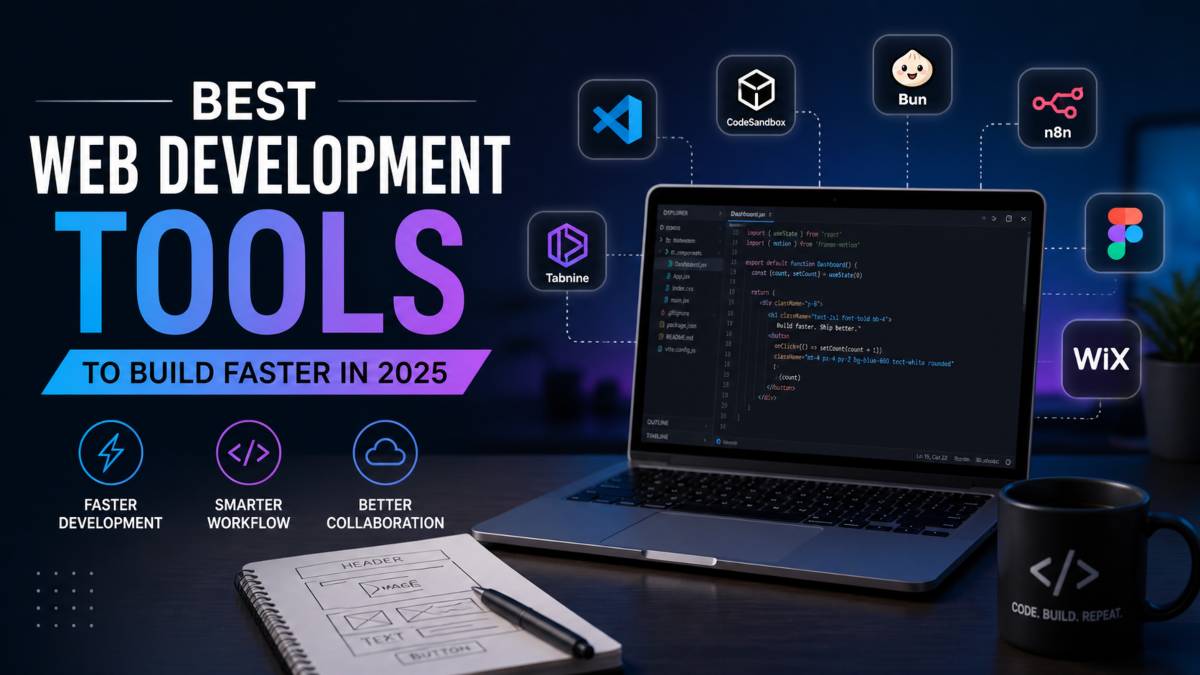
Take a simple but powerful setup built around Visual Studio Code, Tabnine, and Bun. You write code in a fast editor, get smart suggestions as you go, and run or bundle your project with minimal delay. Each tool supports the next, which keeps your momentum steady.
For rapid prototyping and automation, pairing CodeSandbox with n8n creates a different kind of flow. You build and test directly in the browser, then connect services and automate actions without stepping outside your workflow. It is quick, flexible, and built for iteration.
The key is synergy. When tools complement each other, you spend less time switching between tasks and more time building. That is where real speed shows up.
Common Mistakes That Slow Developers Down
Speed is not just about what you use. It is also about what you avoid. Many developers slow themselves down without realizing it, not because they lack tools, but because they misuse them.
One of the biggest mistakes is using too many tools at once. More tools do not mean more productivity. They often create clutter, confusion, and constant context switching. Instead of moving faster, you spend time managing your setup.
Conclusion
Fast development is not about cutting corners. It is about removing friction so quality work can happen at pace. The right tools give you that edge. They reduce manual effort, catch errors early, and keep your workflow smooth from start to finish.
When speed and quality work together, you avoid the cycle of rushing and fixing later. Clean code, stable performance, and clear structure stay intact even as you move quickly.
The real shift comes from choosing tools with intention. Keep your setup focused, avoid unnecessary clutter, and let automation handle repeat tasks. A smart toolkit does more than save time. It keeps you in control, helps you build with confidence, and turns ideas into working products without slowing you down.